Steps for Interviewing

Amplify Professional Learning Specialist Applicants

Congratulations on being invited to interview for the Professional Learning Specialist role!

Please take these three steps in order to schedule and prepare for your interview.

Step 1: Review the PLS Flipbook
Step 2: Schedule your Interview
Step 3: Prepare for your Interview

Interviews for Cohort 2 will take place from April 27th – May 8th.

A group of four people sitting at a table in a meeting room, using laptops. One person laughs while others work. An analog clock on the wall shows the time.

Step 1: Review the PLS Flipbook

Amplify Professional Learning Specialists (PLS) will be responsible for facilitating high-quality professional development (PD) to teachers and school leaders, ensuring educators feel confident taking steps to implement our programs and ultimately drive student success. 

Please read the PLS flipbook to ensure you have a clear understanding of the role and ensure this is the right fit for you. These details are captured in pages 16 – 33 of the flipbook.

Several key PLS responsibilities are highlighted below:

  • Delivering remote and onsite professional development for approximately 30-40 educators per session during the summer season (May – September 2026), possibly longer.
  • Must be available to be scheduled during normal school hours (Monday–Friday) in all U.S. time zones.
  • Must be available an average of three days per week on Monday through Friday from July 13–August 21. Three consecutive days is strongly recommended as it will potentially lead to more onsite delivery opportunities.
  • PLSs who are current educators and returning to full-time roles at school/districts must have a return to work date after August 21st.
  • Traveling via car, plane, and/or public transportation, sometimes with minimal advance notice and including overnight stay at hotels.   
  • Paying all travel-related expenses in advance, with reimbursements being processed 2-3 weeks following submission of the expense reimbursement requests.

Please reach out to pls_hiring@amplify.com if you have additional questions.

Step 2: Schedule Your Interview

Our second round of interviews will take place between April 27th – May 8th. We do not have any earlier interviews available, all available slots are shown on the calendars linked below.  

Please schedule an interview for the specific role for which you have applied: 

  • Literacy or STEM Candidates: schedule a 30 minute interview by clicking here: “PLS Interviews: May 2026” 
  • Bilingual Candidates: schedule a 45 minute interview by clicking here: “Bilingual PLS Interviews: May 2026” only. You do not need to sign up for a separate 30 minute interview.
  • Once you have scheduled your interview, you should receive a confirmation email from Calendly.  If you do not receive this email, please reach out to PLS_hiring@amplify.com for support.

If you need to reschedule your interview, you may do so directly by clicking the reschedule link in the confirmation email from Calendly to select a new interview option during the current interview window.  Once you have rescheduled, you will receive a new confirmation email and updated calendar invitation. Please do not sign up for more than one interview.

We ask that you only reschedule if absolutely necessary and request at least 24 hours notice prior to your interview day/time.

Step 3: Prepare for Interview

Prior to your scheduled interview, prepare your interview activity! Please view the video to the right for help preparing. 

  • Guidance for the task can be found here: PLS Performance Task Guidance Document
  • You should come ready to share your screen via Google Meet and present the provided activity in under 5 minutes.
  • Talking points are included for each screen to guide your presentation.
  • During your interview we will be looking for proficiency with the following tech skills: independently sharing screen, speech matching animation, and moving from screen to screen with ease.
Two people stand in an office, with one person pointing at a laptop screen while the other looks on. Papers and a window are visible in the background.

Offer, Onboarding, and Training

  • Qualified candidates will receive an offer via email.  The offer will include your product placement and regional assignment.
  • If you accept the offer, our partner contracting agency will reach out to you to provide the necessary documentation to begin the onboarding process. This will include a background check. You will also need to provide college transcripts, please begin gathering these items.
  • Once you have completed the onboarding process with our partner contracting agency, you will begin your official Amplify PLS onboarding process on May 11th for Cohort 1 or June 15th for Cohort 2. A majority of onboarding will be remote, with one in person training on June 6th – 7th for Cohort 1 and July 8th – 9th for Cohort 2. More details to come!
  • Once you are certified, our PD Operations team will begin to schedule you for PD engagements within your region and across the country!

Info Session

Get more details from PD staff members about the PLS role, regional placement, the onboarding process, and ongoing support.

We will address the most common questions we receive:

  1. What is the role of a PLS?
  2. Where will I deliver sessions?  What content will I deliver?
  3. How will onboarding work?
  4. How will I be supported?

The information session recording can be watched here.

Passcode: @N+4hmfi

FAQ

PLS FAQ

Hear from our Professional Learning Specialists

“I have been able to connect with teachers and support them in their implementation of Amplify products. I especially love coaching opportunities where I have time to see teachers in action, model lessons for them, and debrief and problem solve what is going on in their classrooms. I would have loved that opportunity when I was in the classroom.”

Amy Wiktor

Professional Learning Specialist

Hear from our Professional Learning Specialists

“I feel like I have learned so much about the Science of Reading, facilitation, and am inspired by the positive contribution I can make to both teachers and students. I am putting something positive back into the world and spreading kindness every day! Very fulfilling.”

Jennifer Piehl

Professional Learning Specialist

Hear from our Professional Learning Specialists

“I’ve had a lot of new experiences and love the networking involved throughout the Amplify community. Seeing new places in different parts of the country has been incredible, as well! Plus, the work environment has been the most positive, uplifting, and motivational workplace I’ve ever been a part of! ”

Justin Suder-Grose

Professional Learning Specialist

Thank you for your interest!

Contact us with questions at pls_hiring@amplify.com

Logging in to Amplify Products

Teachers and students can access CKLA and mCLASS using your Aldine Clever login.

Note: Icons may differ from above based on your role and grade level.

Accessing Amplify Support

Amplify’s technical and program support is available from 6 a.m. to 6 p.m., Monday through Friday, through a variety of channels, including a live chat program that enables teachers to get immediate help in the middle of the school day.

  • Online live chat is available when you are logged into Amplify.
  • Telephone support is available at (800) 823-1969, option 1 for existing customers, then select option 1 for technical support or select option 2 for pedagogical support.
  • For less urgent questions, email help@amplify.com for technical support or edsupport@amplify.com for pedagogical support.

Amplify CKLA

Professional development

Texas correlation docs 

  • K-2, coming soon
  • 3-5

Program Guides

CKLA Professional Learning Site

The Amplify CKLA Professional Learning site provides resources for all stages of curriculum implementation, from unpacking your first Amplify CKLA box to strengthening classroom practices. We are excited to partner with you on this journey!

Unpacking materials

The Start Here Guide includes a helpful inventory list to help organize print materials.

FAQs

Submit a question regarding CKLA

mCLASS Texas Edition and mCLASS Intervention

Professional Development

Training modules

On-demand modules are available for all Aldine staff. Please contact your designated campus mCLASS contact for information.

Benchmark windows

  • Beginning of the Year Benchmarks: August 24th – September 18th
  • Middle of the Year Benchmarks: 
  • End of the Year Benchmarks:

Remote assessment

mCLASS Texas Edition can be administered in many ways, including remotely. This site will give guidance on the various ways to administer mCLASS Texas Edition to best support your students in any learning environment.

FAQs

Submit a question regarding mCLASS

Camp Curioso FAQs

We build better products by speaking to our users! Camp Curioso is an opportunity for students to act as Junior Designers, providing valuable feedback on our products in development. During the three weeks of Camp Curioso, students will participate in both one-on-one sessions and focus groups with other students their age. We use student feedback to inform how we build our products. Thank you in advance for your support of this program!

For this summer’s Camp Curioso, we’re looking for students who will be in grades 1 through 6 during the upcoming 2024–25 school year. We have room for around five students per grade—so space is limited!

Camp Curioso 2024 is three weeks long, beginning on July 15 and wrapping up on August 2. Junior Designers will have two weekly commitments:

  1. A weekly 30-minute one-on-one session with an Amplify playtester. These sessions will be on the same day and at the same time each week (to be decided with caregivers).
  2. A one-hour focus group on Fridays, where students will meet other Junior Designers their age from around the country!
    a.  Grades 1–3 focus group: 11:00 a.m.–12:00 p.m. ET
    b.  Grades 4–6 focus group: 3:00 p.m.– 4:00 p.m. ET

*There will be a Camp Curioso Kickoff for caregivers and students on Thursday, July 11 from 5:00 p.m. to 5:30 p.m. ET. We’ll provide an overview of the program and get everyone excited for Camp Curioso! If you can’t make it, don’t worry; the kickoff will be recorded and emailed to you.

All Camp Curioso sessions will be virtual, held on Google Meet.

All data will be reviewed and shared internally to inform ongoing product development. Video recordings, transcripts, and students’ personally identifiable information are stored in a secure database that only our Amplify researchers can access.

Each Junior Designer will receive a $100 Amazon gift card upon completion of the Camp Curioso program.

We ask caregivers to be present at the start of the session to help Junior Designers with technical set-up.

Amplify Science – Oklahoma

To view this protected page, enter the password below:


Amplify Science – Oklahoma

To view this protected page, enter the password below:


Inspiring the next generation of Oklahoma scientists, engineers, and curious citizens

Amplify Science is an engaging new core curriculum designed for three-dimensional, phenomena-based learning.

A powerful partnership

Amplify Science was developed by the science education experts at UC Berkeley’s Lawrence Hall of Science and the digital learning team at Amplify.

Our Instructional Model

The Amplify Science program is rooted in the proven, research-based pedagogy of Do, Talk, Read, Write, Visualize. Here’s how each element works:

DO
First-hand investigations are an important part of any science classroom, and Amplify Science has students getting hands-on in every unit, from building models of protein molecules to experimenting with electrical systems.

TALK
Student-to-student discourse and full class discussions are an integral part of the program. Students are provided with numerous opportunities to engage in meaningful oral scientific argumentation, all while fostering a collaborative classroom environment.

READ
Students read scientific articles, focusing their reading activities on searching for evidence related to their investigation, and importantly, on asking and recording questions as they read through fascinating texts on 21st-century topics.

WRITE
Following real-world practices, students write scientific arguments based on evidence they’ve collected, making clear their reasoning about how a given piece of evidence connects to one of several claims.

VISUALIZE
By manipulating digital simulations and using modeling tools to craft visualizations of their thinking— just as real scientists and engineers do—students take their learning far beyond the confines of what they can physically see in the classroom in an exciting and authentic way.

Resources to support your review

Remote and hybrid learning supports

Oklahoma remote and hybrid overview video

Amplify has launched a new remote learning solution called Amplify Science@Home. Intended to make extended remote learning and hybrid learning easier, Amplify Science@Home includes two useful options for continuing instruction: @Home Videos and @Home Units. 

Amplify Science @Home Videos are recordings of real Amplify Science teachers teaching the lessons. For those teachers who are unable to meet synchronously with their students, the recorded lessons are a great way to keep their students on track and engaged with Amplify Science while at home. These videos will be produced for all K–5 units, and for the first four units of each 6–8 grade level. Their release will be rolling, beginning in August.   

Amplify Science@Home Units are modified versions of Amplify Science units, strategically designed to highlight key activities from the program. The @Home Units take significantly less instructional time than the complete Amplify Science program and allow students to engage with science at home. @Home Units will be developed for all Amplify Science K–8 units. Each @Home unit includes:

  • Teacher overviews explaining how to use the materials, including suggestions for enhancing the @Home Units if synchronous learning or in-class time with students is available.
  • Overviews to send home to families.

Student materials are available in two formats:

  • @Home Slides (PDF/PPT) + Student Sheets (PDF) for students with access to technology at home.
  • Downloadable @Home Packets (PDF) for students without access to technology at home.

Download the Remote and hybrid learning guide.

What’s included

Flexible resources that work seamlessly together

Science articles
The middle school science articles serve as sources for evidence collection and were authored by science and literacy experts at the Lawrence Hall of Science.

Student Investigation Notebooks
Available for every unit, the Student Investigation Notebooks provide space for students to:

  • Record data
  • Reflect on ideas from texts and investigations
  • Construct explanations and arguments

Available with full-color article compilations for middle school units.

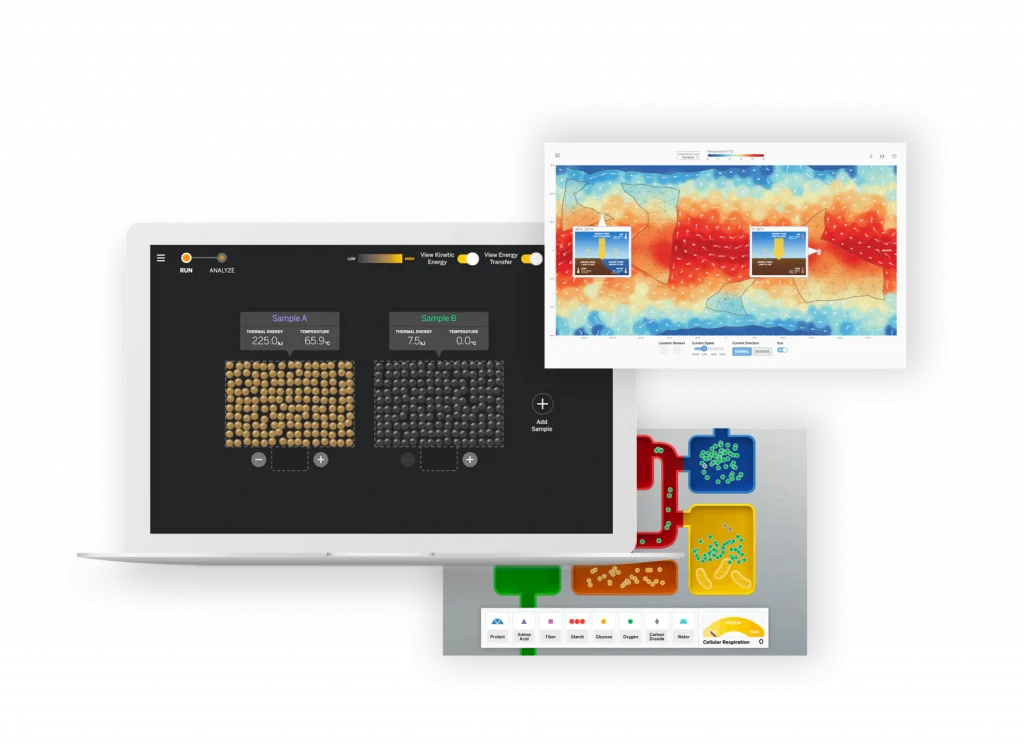
Digital student experience
Students access the digital simulations and modeling tools, as well as lesson activities and assessments, through the digital student experience. Students can interact with the digital student experience as they:

  • Conduct hands-on investigations
  • Engage in active reading and writing activities
  • Participate in discussions
  • Record observations
  • Craft end-of-unit scientific arguments

Teacher’s Guides
Available digitally and in print, the Teacher’s Guides contain all of the information teachers need to facilitate classroom instruction, including:

  • Classroom Slides
  • Detailed lesson plans
  • Unit and chapter overview documentation
  • Differentiation strategies
  • Standards alignments
  • In-context professional development

Hands-on materials kits
Hands-on learning is at the heart of Amplify Science. Each unit kit contains:

  • Consumable and non-consumable hands-on materials
  • Print classroom display materials
  • Premium print materials for student use (sorting cards, maps, etc.)

Scope and sequence

GRADE
UNIT
Kindergarten
  • Needs of Plants and Animals
  • Pushes and Pulls
  • Sunlight and Water
Grade 1 
  • Animal and Plant Defenses
  • Light and Sound
  • Spinning Earth
Grade 2 
  • Plant and Animal Relationships
  • Properties of Materials
  • Changing Landforms
Grade 3 
  • Balancing Forces
  • Inheritance and Traits
  • Environments and Survival
  • Weather and Climate
Grade 4 
  • Energy Conversions
  • Vision and Light
  • Earth’s Features
  • Waves, Energy, and Information
Grade 5 
  • Patterns of Earth and Sky
  • Modeling Matter
  • The Earth System
  • Ecosystem Restoration
Grade
Units

Grade 6

  • Launch: Microbiome
  • Metabolism
  • Metabolism Engineering Internship
  • Thermal Energy
  • Plate Motion
  • Plate Motion Engineering Internship
  • Rock Transformations
  • Weather Patterns
  • Ocean, Atmosphere, and Climate

Grade 7

  • Launch: Harnessing Human Energy
  • Phase Change
  • Phase Change Engineering Internship
  • Magnetic Fields
  • Earth’s Changing Climate
  • Earth’s Changing Climate Engineering Internship
  • Chemical Reactions
  • Populations and Resources
  • Matter and Energy in Ecosystems

Grade 8

  • Launch: Geology on Mars
  • Earth, Moon, and Sun
  • Light Waves
  • Force and Motion
  • Force and Motion Engineering Internship
  • Traits and Reproduction
  • Natural Selection
  • Natural Selection Engineering Internship
  • Evolutionary History

Oklahoma Academic Standards for Science coverage

Amplify Science was designed from the ground up to meet the Next Generation Science Standards (NGSS), and the Oklahoma Academic Standards for Science (OASS) are closely aligned to the NGSS at K-8. The guidance below is meant to provide support for integrating additional activities that support full coverage of the OASS. You can view the full K–8 OASS correlation here.

Organized by grade level, each section below will outline:

  • additional activities that support 100% alignment to the Oklahoma Academic Standards for Science; 
  • the standard being addressed with the activities; 
  • the recommended placement of the activities within a specific Amplify Science unit; and 
  • PDFs of any accompanying materials that are necessary to implement the activities. 

Standard: 1.ESS3.1: Communicate solutions that will reduce the impact of humans on the land, water, air, and/or other living things in the local environment.

Recommended placementAnimal and Plant Defenses unit, Chapter 1

MaterialsThe Student Book Investigating Monarchs from the unit Needs of Plants and Animals

Investigating Monarchs emphasizes the needs of monarch caterpillars and butterflies and shows what happens when these animals are not able to meet their needs. The book first introduces the life cycle of monarchs, explaining that monarch caterpillars must eat milkweed to survive and change into butterflies. Their summer habitat must have milkweed. The butterflies then migrate a long distance, from the United States to a forest in the mountains of Mexico, where they take shelter in the trees. Their winter habitat must have trees. Scientists discovered that the monarch population in Mexico was greatly reduced because people were cutting down the trees. The forest was then protected, but the monarch population did not recover as expected. Scientists in the United States found evidence that this was because fields with milkweed are being replaced by farms and buildings. This book could be read with the class either before or after Chapter 1 of the Animal and Plant Defenses unit, which focuses on what plants and animals need to do to survive. Students could be asked to reflect on what the monarchs need to survive (including food and shelter), and how human activities impacted the monarchs’ ability to meet those needs. After reading the book, students could brainstorm ideas for how to reduce the impact of humans on the local environment.

Standard: MS-PS4-2: Develop and use a model to describe that waves are reflected, absorbed, or transmitted through various materials.

Recommended placementMetabolism unit, Lesson 3.3, addition to Activity 5 

Materials“What Eyes Can See” science article

As students investigate metabolism and the body systems, the article “What Eyes Can See” should be assigned to deepen their understanding of information processing and sense receptors and connect that understanding to the emerging idea of the interaction of waves with various materials. The article explores how the only thing we can really see is light. Light travels from a light source to the eye, passing through some materials and bouncing off others. Tiny organs inside the eye called rods and cones absorb energy from light, making vision possible. These interactions between light and materials determine our visible world. 

Instructions:

Download the PDF “What Eyes Can See” above and remind students of the Active Reading Guidelines. Before students read the article, invite them to share prior experiences. For example, “Have you ever had an experience where something looked different in one kind of light than in another kind of light? Or where something seemed to appear or disappear when the light changed?”

Standard: MS-PS3-1: Construct and interpret graphical displays of data to describe the relationships of kinetic energy to the mass of an object and to the speed of an object.

Recommended placementHarnessing Human Energy unit, Lesson 1.4, after Activity 4 

MaterialsForce and Motion SimulationActivity instructions and copymasters

In this activity, students use the Force and Motion Simulation to investigate the relationship between kinetic energy, mass, and velocity. 

Instructions

Download the PDF linked above for the Lesson Guide and copymasters needed for the activity. Note that this investigation is typically implemented during the Force and Motion unit. This means the Lesson Guide will contain some incongruous labeling (e.g., unit name), as well as instructions that are out of context and unnecessary for the purposes of addressing this standard at grade 7. We suggest skipping to step 4 of the Instructional Guide to avoid some of this. Your students will get additional exposure to this activity, and indeed the standard as a whole, when they get to the Force and Motion unit in grade 8.

Standards:

  • MS-PS2-3: Ask questions about data to determine the factors that affect the strength of electric and magnetic forces.
  • MS-PS2-5: Conduct an investigation and evaluate the experimental design to provide evidence that fields exist between objects exerting forces on each other even though the objects are not in contact.

Recommended placementForce and Motion unit, after Lesson 1.5 

MaterialsFlextension PDF

This hands-on activity builds on and reinforces students’ understanding of forces that act at a distance, with a focus on electrostatic force. Students explore electrostatic forces, prompted by a set of challenges that they try to accomplish. Next, students generate scientific questions based on their observations. Electrostatic force is less predictable and consistent than magnetic force, and investigating it can be both challenging and intriguing. The purpose of this lesson is for students to gain firsthand experience with electrostatic force and to gain experience generating scientific questions based on observations. You might choose to include this Flextension if you would like your students to have more exposure to electrostatic force, and if you would like to challenge your students to explore and ask questions about a challenging type of force. 

Instructions:

Download the PDF linked above for a detailed Lesson Guide and the copymasters associated with the activity. Note that this activity is typically implemented as an add-on Flextension during the Magnetic Fields unit. This means that you will see some information that is out of context (e.g., placement information, unit title), but the activity itself also works for the purposes of the Force and Motion unit. If you have any questions, please reach out to our support team via the chat icon in your account or help@amplify.com

Explore the Digital Teacher’s Guide

When you’re ready to review, click the orange button below and use your provided login credentials to access the Amplify Science Digital Teacher’s Guide.

To help familiarize yourself with navigating the digital Teacher’s Guide, watch our navigational guide videos:

Grades K–5:

Grades 6–8:

Looking for help?

Powerful (and free!) pedagogical support

Amplify provides a unique kind of support you won’t find from other publishers. We have developed an educational support team of former teachers and administrators who provide pedagogical support for every Amplify curriculum, assessment, and intervention program. This service is completely free for all educators who are using our programs and includes:

  • Guidance for developing lesson plans and intervention plans
  • Information on where to locate standards and other planning materials
  • Recommendations and tips for day-to-day teaching with Amplify programs
  • Support with administering and interpreting assessment data and more

To reach our pedagogical team, use our live chat within your program, call (800) 823-1969, or email edsupport@amplify.com

Timely technical and program support

Our technical and program support is included and available from 7 a.m. to 7 p.m. ET, Monday through Friday, through a variety of channels, including a live chat program that enables teachers to get immediate help in the middle of the school day.

For your most urgent questions:

  • Use our live chat within your program
  • Call our toll-free number: (800) 823-1969

For less urgent questions:

Contact us

Contact your South Carolina team representatives:
Jeff Rutter
Field Manager
jrutter@amplify.com
(727) 512-8440

Cathy McMillan
Senior Account Executive
cmcmillan@amplify.com
(904) 465-9904

Inspiring the next generation of South Carolina scientists, engineers, and curious citizens

Amplify Science is an engaging new core curriculum designed for three-dimensional, phenomena-based learning.

Amplify Science was developed by the science education experts at UC Berkeley’s Lawrence Hall of Science and the digital learning team at Amplify.

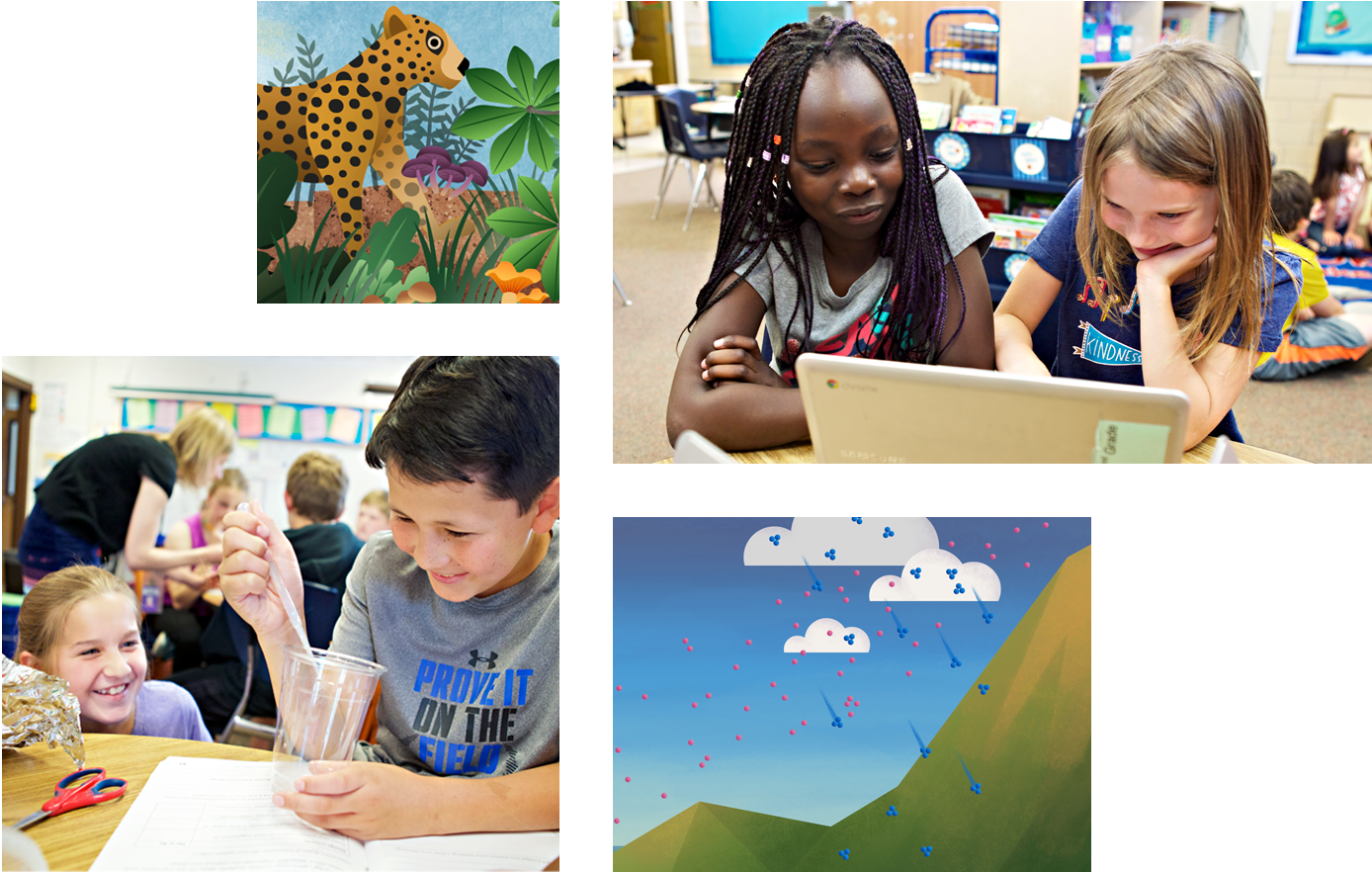
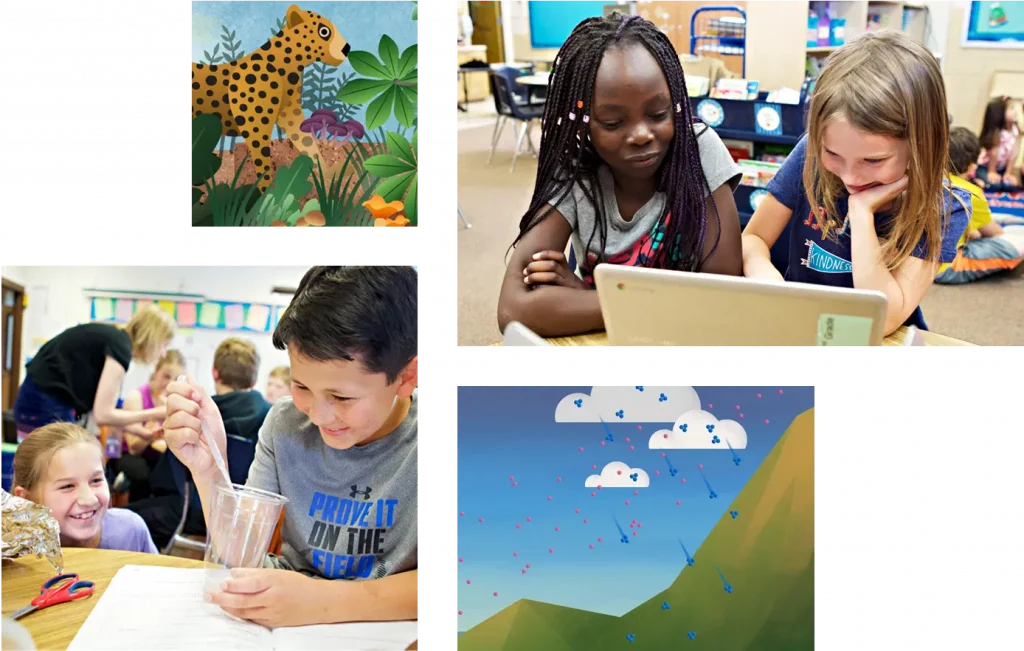
Collage showing students engaged in classroom science activities and two scientific illustrations: a cheetah in foliage and a diagram of clouds and raindrops above a hill.

Our Instructional model

The Amplify Science program is rooted in the proven, research-based pedagogy of Do, Talk, Read, Write, Visualize. Here’s how each element works:

DO
First-hand investigations are an important part of any science classroom, and Amplify Science has students getting hands-on in every unit, from building models of protein molecules to experimenting with electrical systems.

TALK
Student-to-student discourse and full class discussions are an integral part of the program. Students are provided with numerous opportunities to engage in meaningful oral scientific argumentation, all while fostering a collaborative classroom environment.

READ
Students read scientific articles, focusing their reading activities on searching for evidence related to their investigation, and importantly, on asking and recording questions as they read through fascinating texts on 21st-century topics.

WRITE
Following real-world practices, students write scientific arguments based on evidence they’ve collected, making clear their reasoning about how a given piece of evidence connects to one of several claims.

VISUALIZE
By manipulating digital simulations and using modeling tools to craft visualizations of their thinking— just as real scientists and engineers do—students take their learning far beyond the confines of what they can physically see in the classroom in an exciting and authentic way.

Explore the Digital Teacher’s Guide

When you’re ready to review, click the orange button below and use your provided login credentials to access the Amplify Science Digital Teacher’s Guide. If you need login credentials, contact Jeff Rutter, jrutter@amplify.com.

Resources to support your review

Scope and sequence

GRADE
UNIT
Kindergarten
  • Needs of Plants and Animals
  • Pushes and Pulls
  • Sunlight and Water
Grade 1 
  • Animal and Plant Defenses
  • Light and Sound
  • Spinning Earth
Grade 2 
  • Plant and Animal Relationships
  • Properties of Materials
  • Changing Landforms
Grade 3 
  • Balancing Forces
  • Inheritance and Traits
  • Environments and Survival
  • Weather and Climate
Grade 4 
  • Energy Conversions
  • Vision and Light
  • Earth’s Features
  • Waves, Energy, and Information
Grade 5 
  • Patterns of Earth and Sky
  • Modeling Matter
  • The Earth System
  • Ecosystem Restoration
Grade
Units

Grade 6

  • Launch: Microbiome
  • Metabolism
  • Metabolism Engineering Internship
  • Thermal Energy
  • Plate Motion
  • Plate Motion Engineering Internship
  • Rock Transformations
  • Weather Patterns
  • Ocean, Atmosphere, and Climate

Grade 7

  • Launch: Harnessing Human Energy
  • Phase Change
  • Phase Change Engineering Internship
  • Magnetic Fields
  • Earth’s Changing Climate
  • Earth’s Changing Climate Engineering Internship
  • Chemical Reactions
  • Populations and Resources
  • Matter and Energy in Ecosystems

Grade 8

  • Launch: Geology on Mars
  • Earth, Moon, and Sun
  • Light Waves
  • Force and Motion
  • Force and Motion Engineering Internship
  • Traits and Reproduction
  • Natural Selection
  • Natural Selection Engineering Internship
  • Evolutionary History

South Carolina College- and Career-Ready Science Standards 2021

Amplify Science was designed from the ground up to meet the Next Generation Science Standards (NGSS), and the South Carolina College- and Career-Ready Science Standards 2021 are closely aligned to the NGSS at K-8. The guidance below is meant to provide support for integrating additional companion activities that support full coverage of the South Carolina College- and Career-Ready Science Standards 2021.

Organized by grade level, each section below will outline:

  • Additional activities that support 100% alignment to the  South Carolina College- and Career-Ready Science Standards 2021; 
  • The standard being addressed with the activities; 
  • The recommended placement of the activities within a specific Amplify Science unit; and 
  • PDFs of any accompanying materials that are necessary to implement the activities.

Standard: MS-PS1-4: Develop a model that predicts and describes changes in particle motion, temperature, and state of a pure substance when thermal energy is added or removed.
Recommended placementThermal Energy unit, Lesson 4.4, addition to Activity 3
Materials“Liquid Oxygen”
By reading the article “Liquid Oxygen,” which describes how the relationship between attraction and kinetic energy determines when a substance changes phase, students extend their understanding of the possible effects of adding or removing thermal energy to include changes in state (phase). Oxygen is one of the most common elements in the world, but most people are only familiar with oxygen in the gas phase. Because oxygen molecules are only weakly attracted to one another, condensing oxygen is difficult. This article introduces students to molecular attraction and discusses its role in phase change, including how it can be used to turn oxygen from a gas to a liquid.
Instructions:
Download PDFs of the “Liquid Oxygen” and distribute it to students. Before they begin reading, remind students of the Active Reading Guidelines. 

Standard: MS-PS4-2: Develop and use a model to describe that waves are reflected, absorbed, or transmitted through various materials.
Recommended placementWeather Patterns unit, Lesson 4.4, addition to Activity 3
Materials“Harvesting Sunlight”, “Why No One in Space Can Hear You Scream” and “Making Waves at Swim Practice”
After investigating weather patterns, which includes a focus of the effects of energy from sunlight, students extend their learning about light by reading three articles about light and other waves.
“Harvesting Sunlight:” Students read this article to learn about the types of light from the sun that plants use for photosynthesis. The article describes how the sun emits all types of light, but plants can only use certain types of visible light for photosynthesis, mostly red and blue light. Plants also absorb other types of light, and these types of light affect plants in different ways. Students use this information to gather evidence that there are different types of light that can affect a material in different ways.
“Why No One in Space Can Hear You Scream:” Students read this article to learn about how waves are transmitted. Explosions that would be deafening on Earth are silent in space. This is because sound is produced by sound waves and, unlike light waves, sound waves need matter to travel through. Reading about this phenomenon helps students understand the similarities and differences between mechanical and electromagnetic waves.
“Making Waves at Swim Practice:” A practice for the school swim team provides an everyday context for discussing light waves and sound waves in this engaging article. First, the article explores sound waves traveling through different materials–the air, the water of the pool, and even a metal poolside bench. Students discover that sound waves travel at different speeds in different materials. The later part of the article discusses light waves, which also travel at different speeds in different materials. As light waves move from one material to another, they change speed and bend. This bending of light waves is called refraction, and it explains why objects that are partly in the water and partly out of the water (such as the legs of a person sitting on the side of a pool) appear ripply and bent.
Instructions:
Plan one class period for each article. Download PDFs of the  “Harvesting Sunlight,” “Why No One in Space Can Hear You Scream,” and “Making Waves at Swim Practice” articles. For each article, before students begin reading, preview the article and discuss what students already know and what they wonder about the topic, then remind students of the Active Reading Guidelines. 

Standard: MS-PS2-3: Ask questions about data to determine the factors that affect the strength of electric and magnetic forces. MS-PS2-5: Conduct an investigation and evaluate the experimental design to provide evidence that fields exist between objects exerting forces on each other even though the objects are not in contact.
Recommended placementHarnessing Human Energy unit, Lesson 3.4, after Activity 1
Materials“Earth’s Geomagnetism” and “Painting with Static Electricity”
After concluding their investigations of energy transfers and conversions, students read two articles that introduce the topic of forces that act at a distance.
“Earth’s Geomagnetism:” What makes a compass needle point north, no matter what? This article introduces students to Earth’s geomagnetic field and the field lines scientists use to show its direction.
“Painting with Static Electricity:” This article gives students the opportunity to learn about electrostatic fields and forces in the context of spray painting without making a mess. Electrostatic painting systems use electrostatics to draw spray paint toward the object being painted, and nowhere else. Painters charge the object they are painting with a negative charge and the paint with a positive charge. The opposite charges are attracted to one another, causing the paint to move toward the object. This surprising use of electrostatics saves time and paint and keeps things tidy!
Instructions
Plan one class period for each article. Download PDFs of the “Earth’s Geomagnetism” and “Painting with Electricity” articles. For each article, before students begin reading, preview the article and discuss what students already know and what they wonder about the topic, then remind students of the Active Reading Guidelines. 

What’s included

Science articles
The middle school science articles serve as sources for evidence collection and were authored by science and literacy experts at the Lawrence Hall of Science.

Illustration of the indirect effects of overfishing on northern benguela jelly populations displayed on a laptop screen.

Student Investigation Notebooks
Available for every unit, the Student Investigation Notebooks provide space for students to:

  • Record data
  • Reflect on ideas from texts and investigations
  • Construct explanations and arguments

Available with full-color article compilations for middle school units.

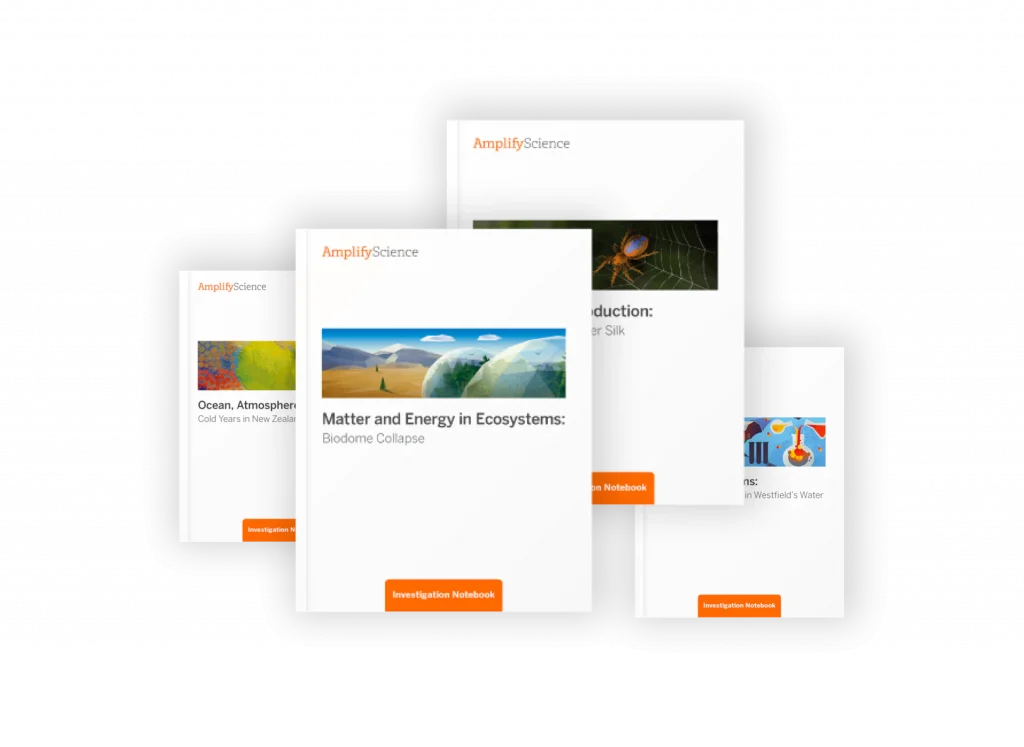
Collection of educational books from 'amplify science' on topics including ocean atmosphere, matter and energy ecosystems, and insect interactions, displayed in various angles.

Digital student experience
Students access the digital simulations and modeling tools, as well as lesson activities and assessments, through the digital student experience. Students can interact with the digital student experience as they:

  • Conduct hands-on investigations
  • Engage in active reading and writing activities
  • Participate in discussions
  • Record observations
  • Craft end-of-unit scientific arguments
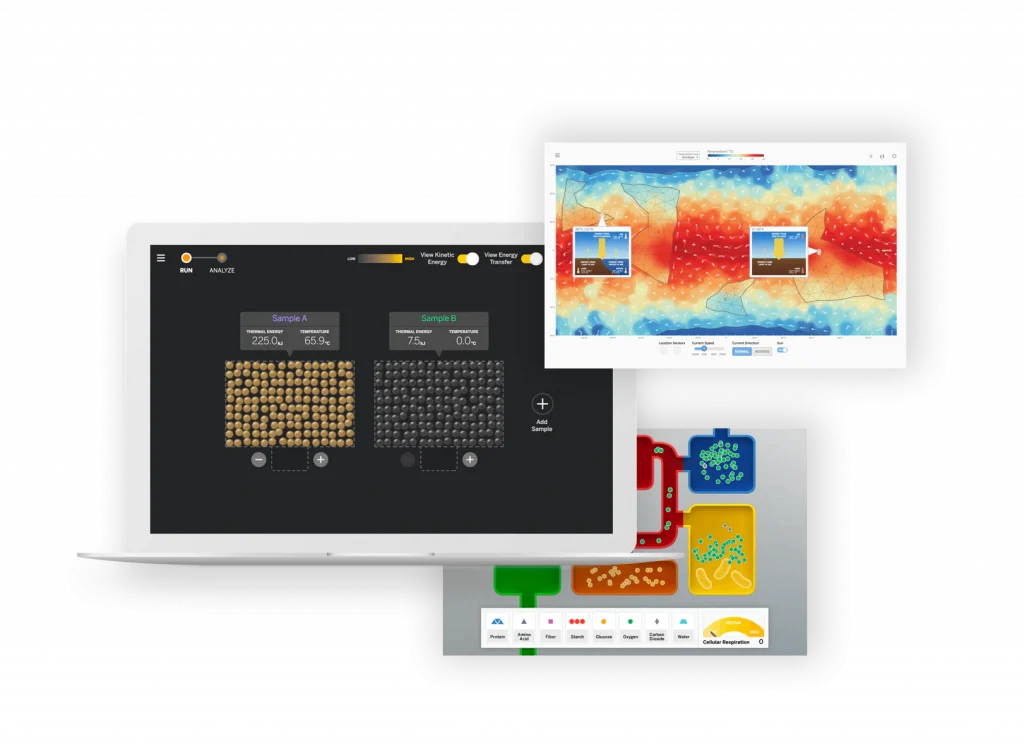
A digital illustration showcasing a laptop and a tablet displaying complex data analysis software interfaces with graphs and heatmaps.

Teacher’s Guides
Available digitally and in print, the Teacher’s Guides contain all of the information teachers need to facilitate classroom instruction, including:

  • Classroom Slides
  • Detailed lesson plans
  • Unit and chapter overview documentation
  • Differentiation strategies
  • Standards alignments
  • In-context professional development
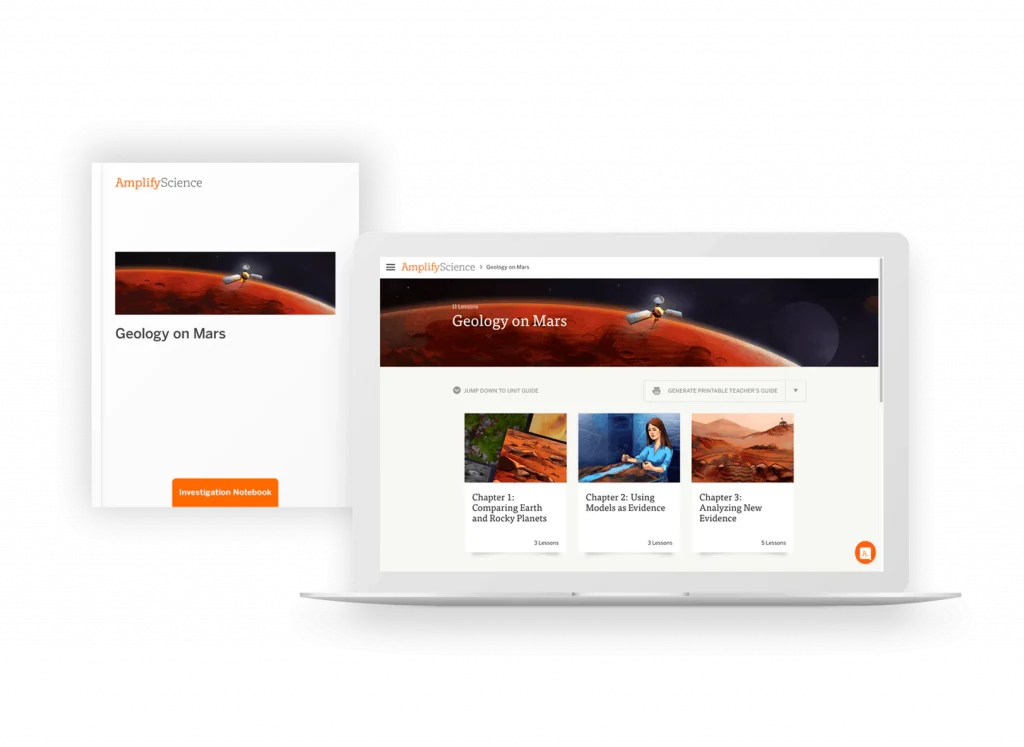
A laptop displaying a website about Mars exploration with a brochure next to it. Both screens show Mars-related images.

Hands-on materials kits
Hands-on learning is at the heart of Amplify Science. Each unit kit contains:

  • Consumable and non-consumable hands-on materials
  • Print classroom display materials
  • Premium print materials for student use (sorting cards, maps, etc.)
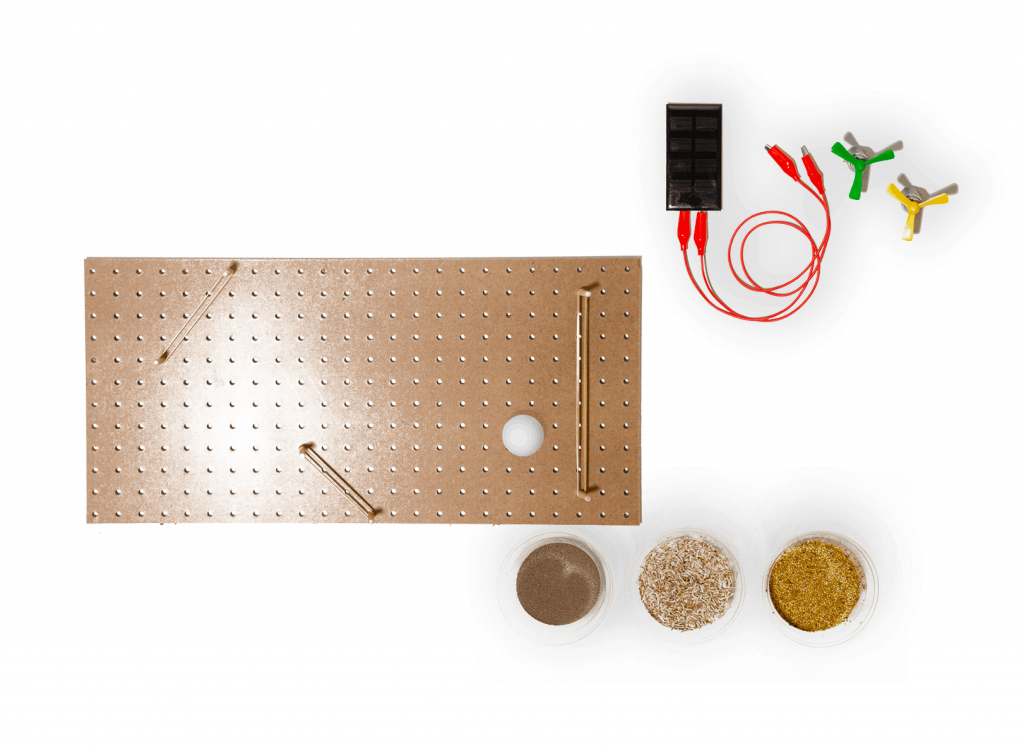
A perforated rectangular board, three small containers with different powders, a black battery holder with red wires, and three colored alligator clips are arranged on a white background.

Remote and hybrid learning supports

A person sitting at a desk using a laptop, with a bookshelf containing books, a fish tank, and a soccer ball nearby.

Amplify has launched a new remote learning solution called Amplify Science@Home. Intended to make extended remote learning and hybrid learning easier, Amplify Science@Home includes two useful options for continuing instruction: @Home Videos and @Home Units. 

Amplify Science @Home Videos are recordings of real Amplify Science teachers teaching the lessons. For those teachers who are unable to meet synchronously with their students, the recorded lessons are a great way to keep their students on track and engaged with Amplify Science while at home. These videos will be produced for all K–5 units, and for the first four units of each 6–8 grade level. Their release will be rolling, beginning in August.   

Amplify Science@Home Units are modified versions of Amplify Science units, strategically designed to highlight key activities from the program. The @Home Units take significantly less instructional time than the complete Amplify Science program and allow students to engage with science at home. @Home Units will be developed for all Amplify Science K–8 units. Each @Home unit includes:

  • Teacher overviews explaining how to use the materials, including suggestions for enhancing the @Home Units if synchronous learning or in-class time with students is available.
  • Overviews to send home to families.

Student materials are available in two formats:

  • @Home Slides (PDF/PPT) + Student Sheets (PDF) for students with access to technology at home.
  • Downloadable @Home Packets (PDF) for students without access to technology at home.

Download the Remote and hybrid learning guide.

Looking for help?

Powerful (and free!) pedagogical support

Amplify provides a unique kind of support you won’t find from other publishers. We have developed an educational support team of former teachers and administrators who provide pedagogical support for every Amplify curriculum, assessment, and intervention program. This service is completely free for all educators who are using our programs and includes:

  • Guidance for developing lesson plans and intervention plans
  • Information on where to locate standards and other planning materials
  • Recommendations and tips for day-to-day teaching with Amplify programs
  • Support with administering and interpreting assessment data and more

To reach our pedagogical team, use our live chat within your program, call (800) 823-1969, or email edsupport@amplify.com

Timely technical and program support

Our technical and program support is included and available from 7 a.m. to 7 p.m. ET, Monday through Friday, through a variety of channels, including a live chat program that enables teachers to get immediate help in the middle of the school day.

For your most urgent questions:

  • Use our live chat within your program
  • Call our toll-free number: (800) 823-1969

For less urgent questions:

Contact us

Contact your South Carolina team representatives:
Jeff Rutter
Field Manager
jrutter@amplify.com
(727) 512-8440

Cathy McMillan
Senior Account Executive
cmcmillan@amplify.com
(904) 465-9904

A powerful partnership

Amplify Science was developed by the science education experts at UC Berkeley’s Lawrence Hall of Science and the digital learning team at Amplify. This partnership extends to 2032, allowing us to continuously improve our program and provide our customers with the most up-to-date enhancements, free of charge. Get a glimpse at our latest back-to-school updates here.

Instructional model

The Amplify Science program is rooted in the proven, research-based pedagogy of Do, Talk, Read, Write, Visualize. Here’s how each element works:

Three blue panels describing educational activities: "hands-on science" with lab experiments, "discuss" with collaborative learning, and "read" with literacy in science articles.

Phenomena-based approach

In each Amplify Science unit, students take on the roles of scientists or engineers in order to investigate a real-world problem. Students work to define the problem and collect and make sense of evidence. Once the context is clear, students collect evidence from multiple sources and through a variety of modalities. At the end of the unit, students are presented with a brand new problem, giving them an opportunity to apply what they’ve learned over the course of the unit to a new context. This represents a shift from asking students to learn about science to supporting students in figuring out the science.

Flowchart of a learning unit divided into four chapters, showing stages of student engagement from introduction to application, with assessments indicated at various points.

Resources to support your review

Remote and hybrid learning support

A child sits at a desk using a laptop. Next to the desk is a bookshelf with books, a fishbowl, and a soccer ball.

See an example of our remote and hybrid learning support below:

This fall, Amplify launched a new remote learning solution called Amplify Science@Home. Intended to make extended remote and hybrid learning easier, Amplify Science @Home includes two useful options for continuing instruction: @Home Videos and @Home Units.
Amplify Science @Home Videos are recordings of real Amplify Science teachers teaching the lessons. For those teachers who are unable to meet synchronously with their students, the recorded lessons are a great way to keep their students on track and engaged with Amplify Science while at home. These videos will be produced for all K–5 units, and for the first four units of each 6–8 grade level. Their release will be rolling, beginning in August.

Amplify Science @Home Units are modified versions of Amplify Science units, strategically designed to highlight key activities from the program. The @Home Units take significantly less instructional time than the complete Amplify Science program and allow students to engage with science at home. @Home Units will be developed for all Amplify Science K–8 units. Each @Home unit includes:

  • Teacher overviews explaining how to use the materials, including suggestions for enhancing the @Home Units if synchronous learning or in-class time with students is available
  • Overviews to send home to families

Student materials will be available in two formats:

  • @Home Slides (PDF/PPT) + Student Sheets (PDF) for students with access to technology at home
  • Downloadable @Home Packets (PDF) for students without access to technology at home

Download the remote and hybrid learning guide

Benchmark Assessments

Amplify’s Benchmark Assessments are designed to help teachers measure student progress toward the three dimensions—Disciplinary Core Ideas (DCIs), Science and Engineering Practices (SEPs), and Crosscutting Concepts(CCCs)—and performance expectations (PEs) of the NGSS. The assessments provide important insight into how students are progressing toward mastery of different standards ahead of high-stakes, end-of-year assessments.

The Benchmark Assessments are built to be delivered after specific units in the recommended Amplify Science scope and sequence.* They are given three or four times per year, depending on the grade level. The benchmarks are intended to show progress at various points in time across a school year, and are therefore not summative in nature. Digital items and item clusters are also tagged to specific NGSS standards, allowing customization to align with other course sequences. The assessments are available via the following platforms:

Print
PDF files: For administering Benchmark Assessments on paper

Digital platforms

  • Illuminate
  • SchoolCity
  • Otus
  • QTI (“Question and Test Interoperability”) files
    Not sure whether QTI files are compatible with your assessment platform? Contact your school IT or assessment platform representative for more information.
    Please note that Amplify is able to provide access to the QTI files themselves, but is not able to support the integration process. Your assessment platform provider should be able to assist with QTI file integration.

Flexible implementation

One of the key features of Amplify Science is the flexibility that it offers. We give students authentic opportunities to experience the full breadth of what it means to be a scientist or engineer. Just as scientists gather evidence from many types of sources, so do students in our program. Like scientists, students gather evidence not just from physical models, but also from digital models, texts, videos, photographs, maps, data sets, and even their peers!
Simply put, real scientists don’t just get messy—they read, write, analyze, hypothesize, model, test, and communicate with purpose, too.

Science articles

The middle school science articles serve as sources for evidence collection and were authored by science and literacy experts at the Lawrence Hall of Science.

Illustration of the indirect effects of overfishing on northern benguela jelly populations displayed on a laptop screen.

Student Books
Beginning and young readers have unique developmental needs, and science instruction should support these students in reading more independently as they progress through sections of content, the school year, and each grade. One way Amplify Science meets these needs is by strategically deploying different modes of reading throughout each unit: Read-Aloud, Shared Reading, and Partner Reading.

A collage of various educational book covers related to science and math, featuring illustrated themes like sports, nature, and energy.

Student Investigation Notebooks

Available for every unit, the Student Investigation Notebooks provide space for students to:

  • record data.
  • reflect on ideas from texts and investigations.
  • construct explanations and arguments.

Available with full-color article compilations for middle school units.

Collection of educational books from 'amplify science' on topics including ocean atmosphere, matter and energy ecosystems, and insect interactions, displayed in various angles.

Digital student experience

Students access the digital simulations and Modeling Tools, as well as lesson activities and assessments, through the digital student experience. Students can interact with the digital student experience as they:

  • conduct hands-on investigations.
  • engage in Active Reading and writing activities.
  • participate in discussions.
  • record observations.
  • craft end-of-unit scientific arguments.

Dive into a quick example of our powerful simulations

A digital illustration showcasing a laptop and a tablet displaying complex data analysis software interfaces with graphs and heatmaps.

Hands-on materials kits

Hands-on learning is at the heart of Amplify Science and is integrated
into every unit. Students actively take on the roles of scientists and engineers as they gather evidence, think critically, solve problems, and develop and defend claims about the world around them.

Check out these 2-minute videos to see an Amplify Science hands-on investigation in action.

Each unit kit contains:

  • consumable and non-consumable hands-on materials.
  • print classroom display materials.
  • premium print materials for student use (sorting cards, maps, etc.).
A perforated rectangular board, three small containers with different powders, a black battery holder with red wires, and three colored alligator clips are arranged on a white background.

Teacher’s Guides

Available digitally and in print, the Teacher’s Guides contain all of the information teachers need to facilitate classroom instruction, including:

  • detailed lesson plans.
  • unit and chapter overview documentation.
  • differentiation strategies.
  • standards alignments.
  • in-context professional development.
A laptop displaying the Geology on Mars webpage sits beside a book titled "Geology on Mars," both featuring the same cover image of Mars and a spacecraft, perfect for enhancing three-dimensional learning in any science classroom.

Scope and Sequence

GRADE UNITS
Kindergarten
  • Needs of Plants and Animals
  • Pushes and Pulls
  • Sunlight and Water
Grade 1
  • Animal and Plant Defenses
  • Light and Sound
  • Spinning Earth
Grade 2
  • Plant and Animal Relationships
  • Properties of Materials
  • Changing Landforms
Grade 3
  • Balancing Forces
  • Inheritance and Traits
  • Environments and Survival
  • Weather and Climate
Grade 4
  • Energy Conversions
  • Vision and Light
  • Earth’s Features
  • Waves, Energy, and Information
Grade 5
  • Patterns of Earth and Sky
  • Modeling Matter
  • The Earth System
  • Ecosystem Restoration
GRADE UNITS
Grade 6: Earth Science
  • Launch: Geology on Mars
  • Plate Motion
  • Plate Motion: Engineering Internship
  • Rock Transformations
  • Earth, Moon, and Sun
  • Ocean, Atmosphere, and Climate
  • Weather Patterns
  • Earth’s Changing Climate
  • Earth’s Changing Climate: Engineering Internship
Grade 7: Life Science
  • Launch: Microbiome
  • Metabolism
  • Metabolism: Engineering Internship
  • Traits and Reproduction
  • Populations and Resources
  • Matter and Energy in Ecosystems
  • Natural Selection
  • Natural Selection: Engineering Internship
  • Evolutionary History
Grade 8: Physical Science 
  • Launch: Harnessing Human Energy
  • Force and Motion
  • Force and Motion: Engineering Internship
  • Magnetic Fields
  • Thermal Energy
  • Phase Change
  • Phase Change: Engineering Internship
  • Chemical Reactions
  • Light Waves

Minnesota Academic Standards in Science coverage

Amplify Science was designed from the ground up to meet the NGSS, a set of standards that closely align with the K–8 Minnesota Academic Standards in Science (MASS). Therefore, most grade levels’ respective set of Amplify Science units address the necessary MASS (see K–5 reverse alignment and/or correlations for K–5 and 6–8). However, for grades 2–4, teachers should also use the resources provided in the sections below to achieve full coverage of the appropriate standards before their students move on to the next grade level. Organized by grade level, each section outlines:

  • companion lesson materials that were written to support 100% alignment to the Minnesota Academic Standards in Science when used with the core Amplify Science units for the grade level
  • the standard being addressed with each companion lesson; and
  • the recommended placement of each companion lesson within a specific Amplify Science unit 

Companion lesson: “Shelter”

Standard: 1P.4.2.2.1 Communicate solutions that use materials to provide shelter, food, or warmth needs for communities including Minnesota American Indian tribes and communities.* (P: 8, CC: 2, CI: PS1, ETS2)

Recommended placement: Following Lesson 5.1 of Spinning Earth

Materials: Shelter Classroom Slides and Student Sheet

Companion lesson: “Describing Climates”

Standard: 2E.4.2.1.2 Obtain and use information from multiple sources, including electronic sources, to describe climates in different regions of the world.** (P: 8, CC: 1, CI: ESS2)

Recommended placement: Following Lesson 4.5 of Changing Landforms

Materials: Describing Climates Classroom Slides and Student Sheet

Note: Students will further investigate the content in this standard, and revisit the book used in this companion lesson, in 3rd grade (Weather and Climate unit)

Companion lesson 1: Light and Vision

Standard: 3P.3.1.1.1 Develop a model to describe that light reflecting from objects and entering the eye allows objects to be seen. (P: 2, CC: 2, CI: PS4)

Recommended placement: Following Lesson 4.5 of Environments and Survival

Materials: Light and Vision Part 1 Classroom Slides and Student Sheet; Light and Vision Part 2 Classroom Slides and Student Sheet 

Note: Students will further investigate the content in this standard, and revisit the book used in this companion lesson, in 4th grade (Vision and Light unit)

Companion lesson 2: Studying Stars

Standard: 3E.4.2.2.1 Gather information and communicate how Minnesota American Indian Tribes and communities and other cultures use patterns in stars to make predictions and plans. (P 8, CC: 1, CI: ESS1) 

Recommended placement: Following Lesson 4.4 of Weather and Climate

Materials: Studying Stars Classroom Slides and Student Sheet

Note: Students will further investigate the content in this standard, and revisit the book used in this companion lesson, in 5th grade (Patterns of Earth and Sky unit)

Companion lesson 1: Salt Water and Freshwater

Standard: 4E.2.2.1.1 Interpret charts, maps and/or graphs of the amounts of salt water and fresh water in various reservoirs to provide evidence about the distribution of water on Earth.** (P: 5, CC: 4, CI: ESS2) 

Recommended placement: Following Lesson 2.6 of Earth’s’ Features

Materials: Salt Water and Freshwater Classroom Slides and Student Sheet

Note: Students will further investigate the content in this standard, and revisit the book used in this companion lesson, in 5th grade (The Earth System unit)

Companion lesson 2: How Raindrops Form

Standard: 4E.1.1.1.2 Ask questions about how water moves through the Earth system and identify the type of question. (P: 1, CC: 5, CI: ESS2) 

Recommended placement: Following Lesson 4.5 of Earth’s’ Features

Materials: How Raindrops Form Classroom Slides and Student Sheet

Note: Students will further investigate the content in this standard, and revisit the book used in this companion lesson, in 5th grade (The Earth System unit)

Explore the digital Teacher’s Guide

To familiarize yourself with navigation of the digital Teacher’s Guide, watch our navigational guide videos:

Grades K–5:

Grades 6–8:

Looking for help?

Powerful (and free!) pedagogical support

Amplify provides a unique kind of support you won’t find from other publishers. We’ve developed an educational support team of former teachers and administrators who provide pedagogical support for every Amplify curriculum, assessment, and intervention program. This service is completely free for all educators who are using our programs and includes:

  • Guidance for developing lesson plans and intervention plans.
  • Information on where to locate standards and other planning materials.
  • Recommendations and tips for day-to-day teaching with Amplify programs.
  • Support with administering and interpreting assessment data and more.

Timely technical and program support

Our technical and program support is included and available Monday through Friday, from 7 a.m. to 7 p.m. ET, through a variety of channels, including a live chat program that enables teachers to get immediate help in the middle of the school day.

Ready to dive in?

Contact your Minnesota representative:
Kristi Stengel
Account Executive
kstengel@amplify.com
(612) 306-3941

Tammy Sigwarth
Account Executive
tsigwarth@amplify.com
(563) 663-0056

Program introduction

Professional learning

What will you find in the Professional Learning section?

Whether you’re launching into a new program or looking to strengthen your skills, Amplify’s professional learning sessions will support your needs.

  • Register now to join new and upcoming learning sessions.
  • On-demand sessions offer timely insights to support your mCLASS implementation.
  • Webinar recordings from 2020-2021 or 2021-2022 ensure you don’t miss a thing.

Amplify is working in partnership with the Kindergarten Assessment Support (KAS) Initiative to provide virtual professional development trainings to teacher, specialists, and campus/district leader users of mCLASS Texas Kindergarten across the state of Texas. These trainings are funded by the KAS Grant and will be provided at no charge to participants. Please note that all content will be focused on kindergarten only.

You will find a list of sessions below that you can register for. Sessions will be updated on an ongoing basis. To register, educators can enter the Session ID number into the Region 4 ESC search bar (https://www.escweb.net/tx_esc_04/) to sign up for the session(s) and to secure a spot or type ‘mclass’ into the search bar; all virtual sessions are capped at 30 participants.

For more information about the KAS Initiative, please visit https://tea.texas.gov/academics/early-childhood-education/data-driven-instruction-best-practices.

All mCLASS Texas Edition users will have access to free online modules. Contact your district for details about accessing these modules.

For those districts that want to support teachers in a more comprehensive approach we will work to ensure that the professional learning section supporting each mCLASS Texas Edition rollout meets each district’s unique needs. Here is a professional learning catalog to show the breadth and depth of what we offer.

Remote assessment

mCLASS Texas Edition can be administered in many ways, including remotely. This site will give guidance on the various ways to administer mCLASS Texas Edition to best support your students in any learning environment.

Watch the Remote Assessment Guidance Office Hours recording here.
Documents referenced during Office Hours are linked below.

Administrators, welcome to mCLASS Texas Edition!

Here you’ll find information about enrollment and licensing, technical requirements, professional learning resources, and more.

Onboarding: What to expect

Welcome to mCLASS Texas Edition! To help you know what’s coming next, we created the following visual that outlines the steps of the onboarding process. You can use it as a reference.

Illustration depicting a step-by-step process for professional learning and enrollment, featuring icons for requests, calls, enrollment, emails, online modules, and classroom applications.

Enrollment and licensing

Amplify provides services to fit the different types of enrollment needs for various times of year:

  •  Self-Service Enrollment (SSE) is a batch enrollment tool that you can use to import large amounts of student, staff, and class information into the Amplify system at the beginning of the school year or any time you need to update your enrollment data.
  • Auto Self-Service Enrollment (Auto SSE) is a service for automatically sending enrollment data from your computer to Amplify, which does not require intervention after you initiate the process, and which can be run at any time of year. You must have the ability to run scripts in order to use Auto SSE.
  • Amplify also offers the Manual Enrollment tools on the Amplify Administration page, which you can use at any time of year to add or update enrollment information by entering the information directly into Amplify, rather than uploading spreadsheets.

Preparing your materials

Click here to access a list of the print materials included in each mCLASS Texas Edition kit.

Image of a promotional flyer for mclass® texas, detailing educational materials for teaching literacy to students from kindergarten through 6th grade, with various text sections and an image of a child studying.

Technology requirements and guidelines

To ensure that your hardware and network meet the minimum technical requirements for optimal performance and support of your digital curriculum products, please see Amplify’s customer requirements page.

To ensure access to mCLASS, add the URLs on this page to your corresponding district or school-level filters.

Teachers, welcome to mCLASS Texas Edition!

Here you’ll learn about the program, how to set up your device, and how to get help when using mCLASS Texas Edition.

Onboarding: What to expect

A step-by-step guide for mCLASS preparation: review launch email, watch training module, log in to mCLASS, set up assessment device, prepare to teach mCLASS in the classroom.

Logging in to mCLASS Home

mCLASS Home is where you access mCLASS reporting, instruction, and other helpful resources. Follow these steps to log in:
1. Navigate to mclass.amplify.com.
2. You will need your Amplify user name and password to log in. If you forget your password, you can follow the instructions below to generate a new one.

  • Click “Forgot Password”
  • Enter your Amplify username and your district or school email address. Click Send. Then follow the instructions in the email you receive to reset your password.

If you have not received an Amplify username and password, please contact your
school or district administrator.

Setting up your assessment device

Assessments are administered using the mCLASS app. The mCLASS app is installed by creating a shortcut from Chrome™ (Safari for iPads) on your device’s desktop or home screen. Click the link for your device for installation instructions:
iPad
Chromebook
Windows device

Note that you need your Amplify username and password to install the mCLASS app. If you have not received it, please contact your school or district administrator.

Dyslexia screening

mCLASS® Texas DIBELS® 8 and IDEL assess the updated skills required for dyslexia screening. We’ve got you covered!

Click here to learn more about the Texas Dyslexia handbook updates.

Looking for help?

Our technical and pedagogical support teams are available from 7 a.m. to 7 p.m. ET, Monday through Friday.

For your most urgent questions

  • Use our live chat within your program
  • Call our toll-free number: (800) 823-1969

For less urgent questions, send us an email!

What’s new

The Tech User Manual has been updated for EOY.

About mCLASS in Louisiana

The Louisiana Department of Education is committed to providing literacy instruction for all by:

  • Aligning core curriculum, instruction, and assessments with the Science of Reading.
  • Providing appropriate literacy interventions to address difficulty with reading development.
  • Implementing practices based on the Science of Reading in every classroom, every day.
  • Offering aligned resources to parents, guardians, and family members.

Built on decades of research at the Center on Teaching and Learning at the University of Oregon (a national center for early childhood assessment and instruction), the mCLASS suite meets Louisiana’s early literacy goals for its students with a robust core curriculum and a suite of reporting, grouping, lesson, and caregiver support features.

DIBELS measures at each grade level 
Measure Grade K Grade 1 Grade 2 Grade 3
Letter naming fluency A large, light peach-colored checkmark on a transparent background. A large, light peach-colored checkmark on a transparent background.    
Phonemic segmentation fluency A large, light peach-colored checkmark on a transparent background. A large, light peach-colored checkmark on a transparent background.    
Nonsense word fluency A large, light peach-colored checkmark on a transparent background. A large, light peach-colored checkmark on a transparent background. A large, light peach-colored checkmark on a transparent background. A large, light peach-colored checkmark on a transparent background.
Word reading fluency A large, light peach-colored checkmark on a transparent background. A large, light peach-colored checkmark on a transparent background. A large, light peach-colored checkmark on a transparent background. A large, light peach-colored checkmark on a transparent background.
Oral reading fluency   A large, light peach-colored checkmark on a transparent background. A large, light peach-colored checkmark on a transparent background. A large, light peach-colored checkmark on a transparent background.
Maze (basic comprehension)     A large, light peach-colored checkmark on a transparent background. A large, light peach-colored checkmark on a transparent background.

Enrollment resources

EOY enrollment timeline: 

  • 3/3- 3/17: Admin Portal closed 
    • Students and staff are still able to log into mCLASS
    • Students are still able to assess Progress Monitoring
    • No EOY assessments taking place at this time 
    • Data Reporting (classroom and aggregate reports) is still available
  • 3/18: Admin Portal reopens 
  • 4/1: EOY begins

Student Transfers:

For instructions on transferring students into a district from a different district within the state, see the Transferring Students section of the Test Coordinator Manual: K–3 EOY.

To add students to your district who are transferring to your school from outside of LDOE, please follow the process in the Enrolling Students section of this article.

End of Year and G3 Summer window resources

  • Test Coordinator Manual (District and School Test Coordinators only): This manual provides instructions for administrative tasks for DTCs and STCs.
  • Test Administrator Manual for the Secure K–2 End of Year Literacy Assessment: This manual for Test Administrators provides instructions for administering the secure EOY assessment.
  • Test Administration Manual: Grade 3 End of Year Literacy Assessment:  This manual for Test Administrators provides instructions for administering EOY assessment to Grade 3 students.
  • Tech User Guide: This manual for District and School Technology Coordinators provides instructions for installing the safe browser (Windows/Mac) or kiosk mode applications (Chromebook) needed for secure EOY assessment.
  • Accessibility and Accommodations Manual: This manual includes information about the accessibility features offered for secure EOY assessment, as well as the standard DIBELS 8th Edition Accommodations.
  • For information about student demographics in the Admin Portal, see LDOE Admin Portal: Demographics.
  • New Troubleshooting for ChromeOS Kiosk Mode guide is available for Technology Coordinators supporting Test Administrators who encounter an error message when launching the Chrome kiosk mode applications.

How to: Install the Safe Exam Browser

This section provides instructions for installing the Safe Exam Browser (SEB), which is needed to assess K-2 students during EOY in Louisiana. Depending on your device type, download the SEB app from the Apple App Store or this site.

If you are using a Chromebook, you will use kiosk mode instead of the SEB. The Tech User Guide includes instructions for installing the applications needed to use kiosk mode, as well as instructions for installing the SEB and additional information to set up devices for secure End of Year (EOY) assessment.

Windows

Browser: Chrome (latest 2 versions)

iPad

  • Navigate to Safe Exam Browser in the App Store on your iPad.
  • Tap the Safe Exam Browser app icon to open the app page.
  • Tap Get to download and install the app.
  • For instructions on installing the SEB, see the Tech User Manual.

macOS

  • Download the DMG file.
  • Depending on your browser, a download page may open in a new tab, displaying the download progress. When the download is complete, close the tab. 
  • For instructions on installing the SEB, see the Tech User Manual.

Progress Monitoring

This guide provides instructions for administering progress monitoring (PM) assessments in Louisiana schools. 

Please note that the steps for accessing and administering PM assessments are different for schools with an mCLASS Intervention license than for schools that do not have an mCLASS Intervention license.

Amplify Tutoring: HDT driven by mCLASS data

An adult and child sit at a table, smiling and giving each other a high five. The child wears blue headphones and a laptop is on the table. The background is light blue.

Grounded in evidence-based practices and taught by caring, consistent tutors, our high-impact tutoring programs use high-quality instructional materials and data-driven mCLASS® products to empower students.

  • Data-driven, personalized instruction
  • Research-backed solutions tailored to support your MTSS framework
  • Customizable–before, during or after school year-long, semester-long and summer programming
  • Comprehensive program management and staffing support

Professional development

Amplify professional development (PD) provides learning experiences that intentionally develop the knowledge and skills you need for effective and self-sustaining implementation.

Go to the PD Library to access self-paced online courses, webinar recordings, videos, and more to help you learn how to administer and score the assessment and develop a deeper understanding of reporting and instruction.

If you are interested in purchasing additional PD for your school or district, please reach out to your account executive.

Additional mCLASS information

mCLASS gives you instant results and clear next steps for each student. Quick and actionable reports provide detailed insight into students’ reading development across foundational literacy skills for teachers, specialists, administrators, and caregivers.

View the EOY mCLASS Reporting Guide to learn more.

View the BOY/MOY mCLASS Reporting Guide to learn more.

Additional resources around mCLASS reporting can be found by navigating to the Programs & Apps section and then selecting PD Library

Graph showing emma ashley's progress in letter sounds from august to may, starting well below benchmark at 20, reaching 74 by december, and surpassing the benchmark with 90 in may.

To continue your own professional learning around the Science of Reading, join your colleagues who’ve subscribed to our podcasts and communities!

Science of Reading: The Podcast delivers the latest insights from researchers and practitioners in early reading. Further your professional development with each episode by subscribing and downloading now.

Science of Reading: The Community is built for those committed to fostering conversation around the Science of Reading and implementing best practices in the classroom (including the virtual classroom).

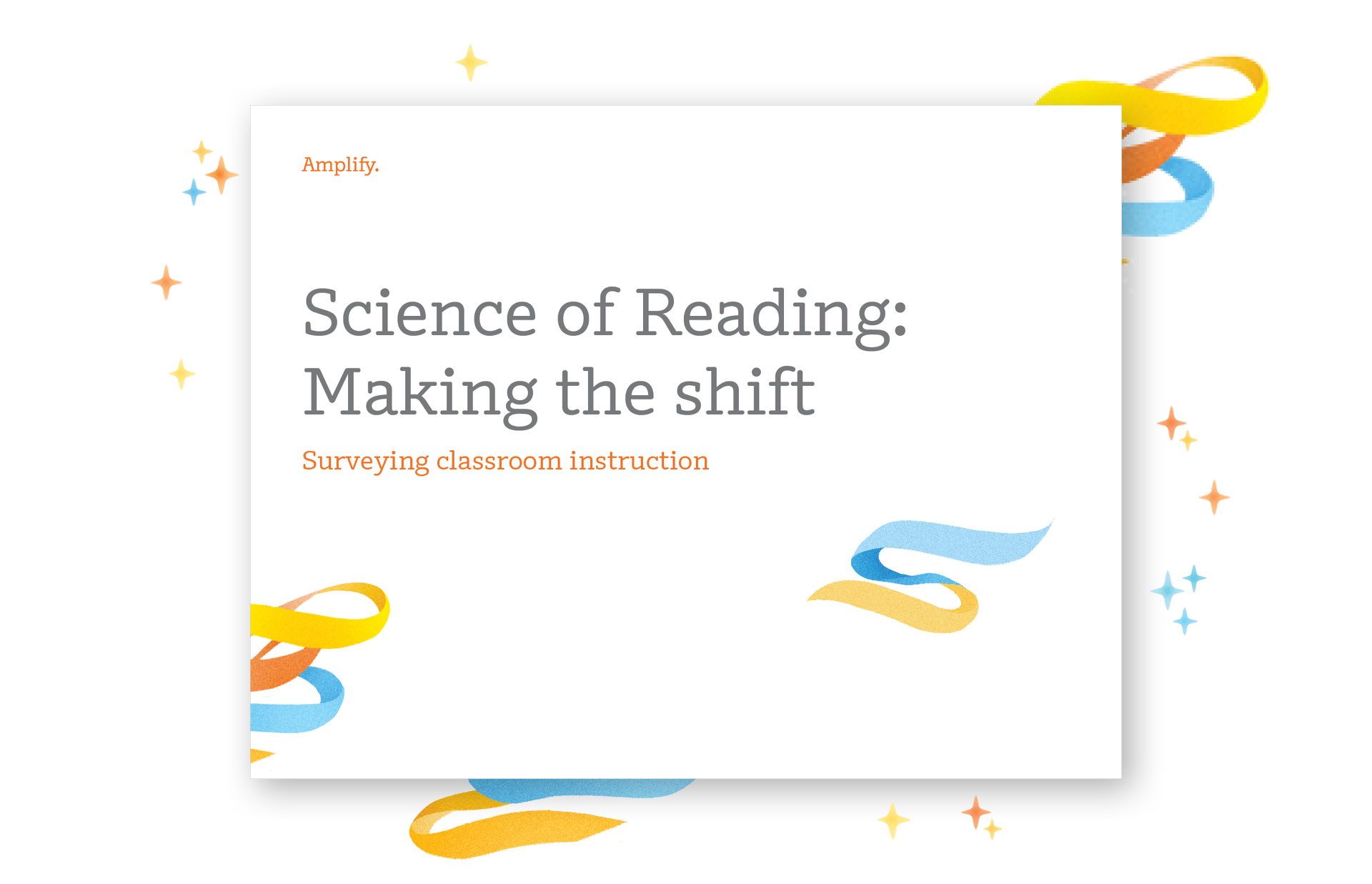
What does classroom instruction look like when it is based on Science of Reading practices? We’ve outlined a Science of Reading action plan to guide your evaluation in our new FREE ebook, Science of Reading: Making the shift.

A presentation slide titled "Science of Reading: Making the shift" with subtitle "Surveying classroom instruction" and colorful ribbon graphics.

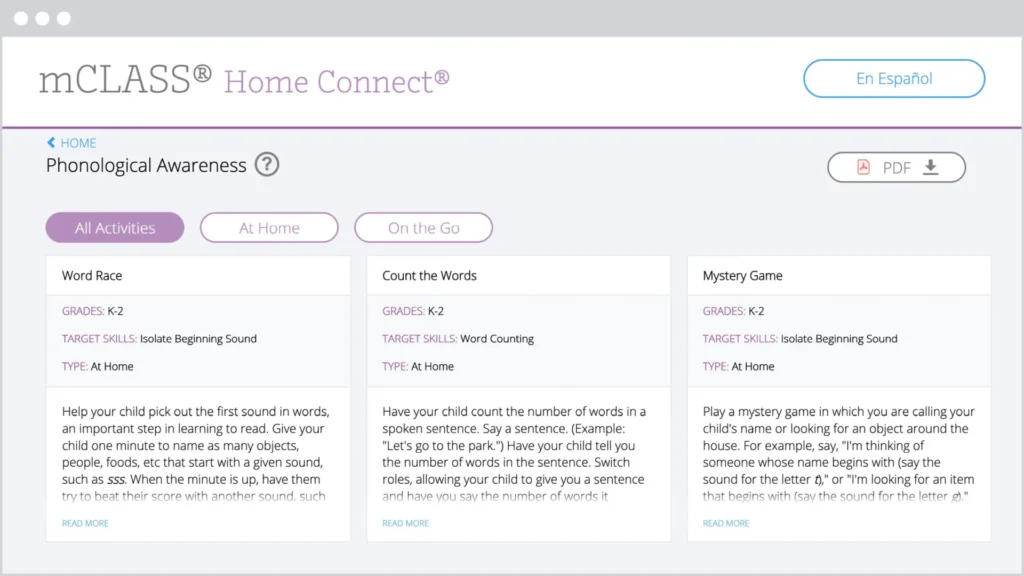
The mCLASS Home Connect website houses literacy resources for parents and caregivers, including at-home lessons organized by skill to help students at home during remote learning. Our mCLASS parent/caregiver letters in English and Spanish ensure that families know how to best support their students.

Screenshot of the mclass home connect website showing educational activities in three categories: word race, count the ways, and mystery game, with navigation options at the top.

mCLASS support

Our chat agents are standing by to assist you!
Simply log in at my.amplify.com/login/louisiana and select the orange button in the lower right corner to chat live with our support team.

Important note:
Our support hours are Monday through Friday, 7 a.m. to 6 p.m. CT.

Check out the DIBELS 8 LDOE Help Center for more help at any point during implementation.

A laptop screen displaying the AmplifyELA program with sections for different grade levels and core units, featuring colorful icons and a menu on the left side.

Additional Amplify products

Get in touch with us to learn more about bringing other high-quality Amplify programs to your school or district.

Inspiring the next generation of Oklahoma scientists, engineers, and curious citizens

Amplify Science is an engaging new core curriculum designed for three-dimensional, phenomena-based learning.

A powerful partnership

Amplify Science was developed by the science education experts at UC Berkeley’s Lawrence Hall of Science and the digital learning team at Amplify.

Instructional model

The Amplify Science program is rooted in the proven, research-based pedagogy of Do, Talk, Read, Write, Visualize. Here’s how each element works:

DO
First-hand investigations are an important part of any science classroom, and Amplify Science has students getting hands-on in every unit—from building models of protein molecules to experimenting with electrical systems.

TALK
Student-to-student discourse and full-class discussions are an integral part of the program. Students are provided with numerous opportunities to engage in meaningful oral scientific argumentation, all while fostering a collaborative classroom environment.

READ
Students read scientific articles, focusing their reading activities on searching for evidence related to their investigation and, importantly, on asking and recording questions as they read through fascinating texts on 21st-century topics.

WRITE
Following real-world practices, students write scientific arguments based on evidence they’ve collected, making clear their reasoning about how a given piece of evidence connects to one of several claims.

VISUALIZE
By manipulating digital simulations and using modeling tools to craft visualizations of their thinking— just as real scientists and engineers do—students take their learning far beyond the confines of what they can physically see in the classroom in an exciting and authentic way.

Oklahoma Instructional Samplers

Video: Oklahoma Spotlight on All Learners (SPED, G & T, EL, DEI)

Resources to support your review

Remote and hybrid learning support

Oklahoma Spotlight Video: Remote and Hybrid Learning

Amplify has launched a new remote learning solution called Amplify Science @Home. Intended to make extended remote learning and hybrid learning easier, Amplify Science@Home includes two useful options for continuing instruction: @Home Videos and @Home Units. 

Amplify Science @Home Videos are recordings of real Amplify Science teachers teaching the lessons. For those teachers who are unable to meet synchronously with their students, the recorded lessons are a great way to keep their students on track and engaged with Amplify Science while at home. These videos will be produced for all K–5 units, and for the first four units of each 6–8 grade level. Their release will be rolling, beginning in August 2021.   

Amplify Science@Home Units are modified versions of Amplify Science units, strategically designed to highlight key activities from the program. The @Home Units take significantly less instructional time than the complete Amplify Science program and allow students to engage with science at home. @Home Units will be developed for all Amplify Science K–8 units. Each @Home unit includes:

  • Teacher overviews explaining how to use the materials, including suggestions for enhancing the @Home Units if synchronous learning or in-class time with students is available.
  • Overviews to send home to families.

Student materials are available in two formats:

  • @Home Slides (PDF/PPT) + Student Sheets (PDF) for students with access to technology at home.
  • Downloadable @Home Packets (PDF) for students without access to technology at home.

Download the remote and hybrid learning guide.

What’s included

Flexible resources that work seamlessly together
Oklahoma Spotlight Video: Instructional Resources: More than a textbook!

Science articles
The middle school science articles serve as sources for evidence collection and were authored by science and literacy experts at the Lawrence Hall of Science.

Student Investigation Notebooks
Available for every unit, the Student Investigation Notebooks provide space for students to:

  • record data.
  • reflect on ideas from texts and investigations.
  • construct explanations and arguments.

Available with full-color article compilations for middle school units.

Digital student experience
Students access the digital simulations and modeling tools, as well as lesson activities and assessments, through the digital student experience. Students can interact with the digital student experience as they:

  • conduct hands-on investigations.
  • engage in active reading and writing activities.
  • participate in discussions.
  • record observations.
  • craft end-of-unit scientific arguments.

Oklahoma Spotlight Video: Spotlight on Simulations

Teacher’s Guides
Available digitally and in print, the Teacher’s Guides contain all of the information teachers need to facilitate classroom instruction, including:

  • Classroom Slides.
  • detailed lesson plans.
  • unit and chapter overview documentation.
  • differentiation strategies.
  • standards alignments.
  • in-context professional development.

Oklahoma Spotlight Video: Classroom Slides

Hands-on materials kits
Hands-on learning is at the heart of Amplify Science. Each unit kit contains:

  • consumable and non-consumable hands-on materials.
  • print classroom display materials.
  • premium print materials for student use (sorting cards, maps, etc).

Scope and sequence

GRADE

UNITS

Kindergarten

  • Needs of Plants and Animals
  • Pushes and Pulls
  • Sunlight and Water

Grade 1

  • Animal and Plant Defenses
  • Light and Sound
  • Spinning Earth

Grade 2

  • Plant and Animal Relationships
  • Properties of Materials
  • Changing Landforms

Grade 3

  • Balancing Forces
  • Inheritance and Traits
  • Environments and Survival
  • Weather and Climate

Grade 4

  • Energy Conversions
  • Vision and Light
  • Earth’s Features
  • Waves, Energy, and Information

Grade 5

  • Patterns of Earth and Sky
  • Modeling Matter
  • The Earth System
  • Ecosystem Restoration

GRADE

UNITS

Grade 6

  • Launch: Microbiome
  • Metabolism
  • Plate Motion
  • Plate Motion Engineering Internship
  • Rock Transformations
  • Ocean, Atmosphere, and Climate
  • Weather Patterns
  • Thermal Energy
  • Phase Change

Grade 7

  • Launch: Harnessing Human Energy
  • Chemical Reactions
  • Populations and Resources
  • Matter Energy and Ecosystems
  • Earth’s Changing Climate
  • Earth’s Changing Climate Engineering Internship
  • Magnetic Fields

Grade 8

  • Launch: Geology on Mars
  • Force and Motion
  • Force and Motion Engineering Internship
  • Light Waves
  • Earth, Moon, and Sun
  • Traits and Reproduction
  • Natural Selection
  • Evolutionary History

Oklahoma Academic Standards for Science coverage

Amplify Science was designed from the ground up to meet the Next Generation Science Standards (NGSS), and the Oklahoma Academic Standards for Science (OASS) are closely aligned to the NGSS at K–8. The guidance below is meant to provide support for integrating additional activities that support full coverage of the OASS. You can view the full K–8 OASS correlation here.

Organized by grade level, each section below will outline:

  • additional activities that support 100% alignment to the Oklahoma Academic Standards for Science; 
  • the standard being addressed with the activities; 
  • the recommended placement of the activities within a specific Amplify Science unit; and 
  • PDFs of any accompanying materials that are necessary to implement the activities. 

Standard: 1.ESS3.1: Communicate solutions that will reduce the impact of humans on the land, water, air, and/or other living things in the local environment.

Recommended placement: Animal and Plant Defenses unit, Chapter 1

MaterialsThe Student Book Investigating Monarchs from the unit Needs of Plants and Animals

Investigating Monarchs emphasizes the needs of monarch caterpillars and butterflies and shows what happens when these animals are not able to meet their needs. The book first introduces the life cycle of monarchs, explaining that monarch caterpillars must eat milkweed to survive and change into butterflies. Their summer habitat must have milkweed. The butterflies then migrate a long distance, from the United States to a forest in the mountains of Mexico, where they take shelter in the trees. Their winter habitat must have trees. Scientists discovered that the monarch population in Mexico was greatly reduced because people were cutting down the trees. The forest was then protected, but the monarch population did not recover as expected. Scientists in the United States found evidence that this was because fields with milkweed are being replaced by farms and buildings. This book could be read with the class either before or after Chapter 1 of the Animal and Plant Defenses unit, which focuses on what plants and animals need to do to survive. Students could be asked to reflect on what the monarchs need to survive (including food and shelter), and how human activities impacted the monarchs’ ability to meet those needs. After reading the book, students could brainstorm ideas for how to reduce the impact of humans on the local environment.

Standard: MS-PS4-2: Develop and use a model to describe that waves are reflected, absorbed, or transmitted through various materials.

Recommended placement: Metabolism unit, Lesson 3.3, addition to Activity 5 

Materials“What Eyes Can See” science article

As students investigate metabolism and the body systems, the article “What Eyes Can See” should be assigned to deepen their understanding of information processing and sense receptors and connect that understanding to the emerging idea of the interaction of waves with various materials. The article explores how the only thing we can really see is light. Light travels from a light source to the eye, passing through some materials and bouncing off others. Tiny organs inside the eye called rods and cones absorb energy from light, making vision possible. These interactions between light and materials determine our visible world. 

Instructions:

Download the PDF “What Eyes Can See” above and remind students of the Active Reading guidelines. Before students read the article, invite them to share prior experiences. For example, “Have you ever had an experience where something looked different in one kind of light than in another kind of light? Or where something seemed to appear or disappear when the light changed?”

Standard: MS-PS3-1: Construct and interpret graphical displays of data to describe the relationships of kinetic energy to the mass of an object and to the speed of an object.

Recommended placement: Harnessing Human Energy unit, Lesson 1.4, after Activity 4 

MaterialsForce and Motion simulationActivity instructions and copymasters

In this activity, students use the Force and Motion Simulation to investigate the relationship between kinetic energy, mass, and velocity. 

Instructions

Download the PDF linked above for the Lesson Guide and copymasters needed for the activity. Note that this investigation is typically implemented during the Force and Motion unit. This means the Lesson Guide will contain some incongruous labeling (e.g., unit name), as well as instructions that are out of context and unnecessary for the purposes of addressing this standard at grade 7. We suggest skipping to step 4 of the Instructional Guide to avoid some of this. Your students will get additional exposure to this activity, and indeed the standard as a whole, when they get to the Force and Motion unit in grade 8.

Standards:

  • MS-PS2-3: Ask questions about data to determine the factors that affect the strength of electric and magnetic forces.
  • MS-PS2-5: Conduct an investigation and evaluate the experimental design to provide evidence that fields exist between objects exerting forces on each other even though the objects are not in contact.

Recommended placementForce and Motion unit, after Lesson 1.5 

MaterialsFlextension PDF

This hands-on activity builds on and reinforces students’ understanding of forces that act at a distance, with a focus on electrostatic force. Students explore electrostatic forces, prompted by a set of challenges that they try to accomplish. Next, students generate scientific questions based on their observations. Electrostatic force is less predictable and consistent than magnetic force, and investigating it can be both challenging and intriguing. The purpose of this lesson is for students to gain firsthand experience with electrostatic force and to gain experience generating scientific questions based on observations. You might choose to include this Flextension if you would like your students to have more exposure to electrostatic force, and if you would like to challenge your students to explore and ask questions about a challenging type of force. 

Instructions:

Download the PDF linked above for a detailed Lesson Guide and the copymasters associated with the activity. Note that this activity is typically implemented as an add-on Flextension during the Magnetic Fields unit. This means that you will see some information that is out of context (e.g., placement information, unit title), but the activity itself also works for the purposes of the Force and Motion unit. If you have any questions, please reach out to our support team via the chat icon in your account or help@amplify.com

Explore the Digital Teacher’s Guide

When you’re ready to review, click the orange button below and use your provided login credentials to access the Amplify Science Digital Teacher’s Guide.

To help familiarize yourself with navigating the digital Teacher’s Guide, watch our navigational guide videos:

Grades K–5:

Grades 6–8:

Looking for help?

Powerful (and free!) pedagogical support

Amplify provides a unique kind of support you won’t find from other publishers. We’ve developed an educational support team of former teachers and administrators who provide pedagogical support for every Amplify curriculum, assessment, and intervention program. This service is completely free for all educators who are using our programs and includes:

  • Guidance for developing lesson plans and intervention plans.
  • Information on where to locate standards and other planning materials.
  • Recommendations and tips for day-to-day teaching with Amplify programs.
  • Support with administering and interpreting assessment data and more.

To reach our pedagogical team, use our live chat within your program, call              (800) 823-1969, or email edsupport@amplify.com

Timely technical and program support

Our technical and program support is included and available from 7 a.m. to 7 p.m. ET, Monday through Friday, through a variety of channels, including a live chat program that enables teachers to get immediate help in the middle of the school day.

For your most urgent questions:

  • Use our live chat within your program.
  • Call our toll-free number: (800) 823-1969.

For less urgent questions:

Contact us

Contact your Oklahoma representative:
Julie Godfrey
Account Executive
jgodfrey@amplify.com
(817) 360-0527

A powerful partnership

Amplify Science was developed by the science education experts at UC Berkeley’s Lawrence Hall of Science and the digital learning team at Amplify.

Instructional model

The Amplify Science program is rooted in the proven, research-based pedagogy of Do, Talk, Read, Write, Visualize. Here’s how each element works.

DO
First-hand investigations are an important part of any science classroom, and Amplify Science has students getting hands-on in every unit, from building models of protein molecules to experimenting with electrical systems.

TALK
Student-to-student discourse and full-class discussions are an integral part of the program. Students are provided with numerous opportunities to engage in meaningful oral scientific argumentation, all while fostering a collaborative classroom environment.

READ
Students read scientific articles, focusing their reading activities on searching for evidence related to their investigation and, importantly, on asking and recording questions as they read through fascinating texts on 21st-century topics.

WRITE
Following real-world practices, students write scientific arguments based on evidence they’ve collected, making clear their reasoning about how a given piece of evidence connects to one of several claims.

VISUALIZE
By manipulating digital simulations and using modeling tools to craft visualizations of their thinking— just as real scientists and engineers do—students take their learning far beyond the confines of what they can physically see in the classroom in an exciting and authentic way.

Resources to support your review

Remote and hybrid learning support

A child sits at a desk using a laptop. Next to the desk is a bookshelf with books, a fishbowl, and a soccer ball.

Amplify has launched a new remote learning solution called Amplify Science@Home. Intended to make extended remote learning and hybrid learning easier, Amplify Science@Home includes two useful options for continuing instruction: @Home Videos and @Home Units. 

Amplify Science @Home Videos are recordings of real Amplify Science teachers teaching the lessons. For those teachers who are unable to meet synchronously with their students, the recorded lessons are a great way to keep their students on track and engaged with Amplify Science while at home. These videos will be produced for all K–5 units, and for the first four units of each 6–8 grade level. Their release will be rolling, beginning in August.   

Amplify Science@Home Units are modified versions of Amplify Science units, strategically designed to highlight key activities from the program. The @Home Units take significantly less instructional time than the complete Amplify Science program and allow students to engage with science at home. @Home Units will be developed for all Amplify Science K–8 units. Each @Home Unit includes:

  • Teacher overviews explaining how to use the materials, including suggestions for enhancing the @Home Units if synchronous learning or in-class time with students is available.
  • Overviews to send home to families.

Student materials are available in two formats:

  • @Home Slides (PDF/PPT) + Student Sheets (PDF) for students with access to technology at home.
  • Downloadable @Home Packets (PDF) for students without access to technology at home.

Download the Remote and hybrid learning guide.

What’s included:

Flexible resources that work seamlessly together

Science articles
The middle school science articles serve as sources for evidence collection and were authored by science and literacy experts at the Lawrence Hall of Science.

Amplify Science articles

Student Investigation Notebooks
Available for every unit, the Student Investigation Notebooks provide space for students to:

  • record data.
  • reflect on ideas from texts and investigations.
  • construct explanations and arguments.

Available with full-color article compilations for middle school units.

Louisiana-specific Materials

Louisiana Companion Student Booklet

Collection of educational books from 'amplify science' on topics including ocean atmosphere, matter and energy ecosystems, and insect interactions, displayed in various angles.

Digital student experience
Students access the digital simulations and modeling tools, as well as lesson activities and assessments, through the digital student experience. Students can interact with the digital student experience as they:

  • conduct hands-on investigations.
  • engage in active reading and writing activities.
  • participate in discussions.
  • record observations.
  • craft end-of-unit scientific arguments.
A digital illustration showcasing a laptop and a tablet displaying complex data analysis software interfaces with graphs and heatmaps.

Teacher’s Guides
Available digitally and in print, the Teacher’s Guides contain all of the information teachers need to facilitate classroom instruction, including:

  • Louisiana Companion Teacher Booklet (6-8)
  • Classroom Slides 
  • detailed lesson plans.
  • unit and chapter overview documentation.
  • differentiation strategies.
  • standards alignments.
  • in-context professional development.
A laptop displaying the Geology on Mars webpage sits beside a book titled "Geology on Mars," both featuring the same cover image of Mars and a spacecraft, perfect for enhancing three-dimensional learning in any science classroom.

Hands-on materials kits
Hands-on learning is at the heart of Amplify Science. Each unit kit contains:

  • consumable and non-consumable hands-on materials.
  • print classroom display materials.
  • premium print materials for student use (sorting cards, maps, etc.).
A perforated rectangular board, three small containers with different powders, a black battery holder with red wires, and three colored alligator clips are arranged on a white background.

Scope and sequence

Amplify Science Louisiana K–5 Program Brochure

GRADE

UNITS

Kindergarten

  • Needs of Plants and Animals
  • Pushes and Pulls
  • Sunlight and Water

Grade 1

  • Animal and Plant Defenses
  • Light and Sound
  • Spinning Earth

Grade 2

  • Plant and Animal Relationships
  • Properties of Materials
  • Changing Landforms

Grade 3

  • Balancing Forces
  • Inheritance and Traits
  • Environments and Survival
  • Weather and Climate

Grade 4

  • Energy Conversions
  • Vision and Light
  • Earth’s Features
  • Waves, Energy, and Information

Grade 5

  • Patterns of Earth and Sky
  • Modeling Matter
  • The Earth System
  • Ecosystem Restoration

GRADE

UNITS

Grade 6

  • Launch: Microbiome
  • Populations and Resources
    Additional instruction added: Human impact on Earth systems and Louisiana’s natural resources
  • Matter and Energy in Ecosystems
    Additional instruction added: Structure and properties of matter Structure and function of cells
  • Force and Motion
  • Engineering Internship: Force and Motion
  • Magnetic Fields
  • Earth, Moon, and Sun
  • Light Waves
    Additional instruction added: The function of the cell nucleus

Grade 6 Louisiana  Resources

  • 5 Companion Lessons
  • Units with Companions Lessons: Populations and Resources; Matter and Energy in Ecosystems; Light Waves
  • Louisiana Companion Materials Kit

Grade 7

  • Metabolism
  • Engineering Internship: Metabolism
  • Phase Change
  • Chemical Reactions
  • Traits and Reproduction
  • Ocean, Atmosphere, and Climate
  • Weather Patterns
  • Earth’s Changing Climate

Grade 7 Louisiana  Resources

  • 8 Companion Lessons
  • Units with Companions Lessons: Phase ChangeTraits and ReproductionOcean, Atmosphere, and ClimateWeather PatternsEarth’s Changing Climate
  • Louisiana Companion Materials Kit, not needed in 7th grade

Grade 8

  • Launch: Geology on Mars
  • Plate Motion
  • Engineering Internship: Plate Motion
  • Rock Transformations
  • Thermal Energy
  • Natural Selection
  • Engineering Internship: Natural Selection
  • Evolutionary History

Grade 8 Louisiana Resources

  • 6 Companion Lessons
  • Unit with Companions Lessons: Plate MotionRock TransformationsThermal EnergyNatural Selection
  • Louisiana Companion Materials Kit

Amplify and the Lawrence Hall of Science have created custom Amplify Science Louisiana materials for middle school students and teachers. The Louisiana edition of Amplify Science 6–8 differs from our national program in a few key ways:

  • Standards cited are Louisiana State Standards for Science (LSSS) instead of NGSS
  • A custom scope and sequence tailored to the LSSS is used
  • Louisiana Companion Lessons are included
  • Louisiana companion kits, which contain materials to accommodate the added companion lessons, are available for grades 6 and 8

Explore the Digital Teacher’s Guide

When you’re ready to review, click the orange button below and use your provided login credentials to access the Amplify Science Digital Teacher’s Guide.

To help familiarize yourself with navigating the digital Teacher’s Guide, watch our navigational guide videos:

Grades K–5:

Grades 6-8

Looking for help?

Powerful (and free!) pedagogical support

Amplify provides a unique kind of support you won’t find from other publishers. We have developed an educational support team of former teachers and administrators who provide pedagogical support for every Amplify curriculum, assessment, and intervention program. This service is completely free for all educators who are using our programs and includes:

  • Guidance for developing lesson plans and intervention plans.
  • Information on where to locate standards and other planning materials.
  • Recommendations and tips for day-to-day teaching with Amplify programs.
  • Support with administering and interpreting assessment data and more.

To reach our pedagogical team, use our live chat within your program, call (800) 823-1969, or email edsupport@amplify.com

Timely technical and program support

Our technical and program support is included and available from 7 a.m. to 7 p.m. ET, Monday through Friday, through a variety of channels, including a live chat program that enables teachers to get immediate help in the middle of the school day.

For your most urgent questions:

  • Use our live chat within your program.
  • Call our toll-free number: (800) 823-1969.

For less urgent questions:

Contact us

Contact your Louisiana representative:
Wayne Hebert
whebert@amplify.com
(337) 298-7833

Our Instructional model

The Amplify Science program is rooted in the proven, research-based pedagogy of Do, Talk, Read, Write, Visualize. Here’s how each element works:

DO
First-hand investigations are an important part of any science classroom, and Amplify Science has students getting hands-on in every unit, from building models of protein molecules to experimenting with electrical systems.

TALK
Student-to-student discourse and full class discussions are an integral part of the program. Students are provided with numerous opportunities to engage in meaningful oral scientific argumentation, all while fostering a collaborative classroom environment.

READ
Students read scientific articles, focusing their reading activities on searching for evidence related to their investigation, and importantly, on asking and recording questions as they read through fascinating texts on 21st-century topics.

WRITE
Following real-world practices, students write scientific arguments based on evidence they’ve collected, making clear their reasoning about how a given piece of evidence connects to one of several claims.

VISUALIZE
By manipulating digital simulations and using modeling tools to craft visualizations of their thinking— just as real scientists and engineers do—students take their learning far beyond the confines of what they can physically see in the classroom in an exciting and authentic way.

Supporting resources

Scope and sequence

GRADE

UNITS

Kindergarten

  • Needs of Plants and Animals
  • Pushes and Pulls
  • Sunlight and Water

Grade 1

  • Animal and Plant Defenses
  • Light and Sound
  • Spinning Earth

Grade 2

  • Plant and Animal Relationships
  • Properties of Materials
  • Changing Landforms

Grade 3

  • Balancing Forces
  • Inheritance and Traits
  • Environments and Survival
  • Weather and Climate

Grade 4

  • Energy Conversions
  • Vision and Light
  • Earth’s Features
  • Waves, Energy, and Information

Grade 5

  • Patterns of Earth and Sky
  • Modeling Matter
  • The Earth System
  • Ecosystem Restoration

GRADE

UNITS

Grade 6

  • Launch: Microbiome
  • Metabolism
  • Metabolism Engineering Internship
  • Thermal Energy
  • Plate Motion
  • Plate Motion Engineering Internship
  • Rock Transformations
  • Weather Patterns
  • Ocean, Atmosphere, and Climate

Grade 7

  • Launch: Harnessing Human Energy
  • Phase Change
  • Phase Change Engineering Internship
  • Magnetic Fields
  • Earth’s Changing Climate
  • Earth’s Changing Climate Engineering Internship
  • Chemical Reactions
  • Populations and Resources
  • Matter and Energy in Ecosystems

Grade 8

  • Launch: Geology on Mars
  • Earth, Moon, and Sun
  • Light Waves
  • Force and Motion
  • Force and Motion Engineering Internship
  • Traits and Reproduction
  • Natural Selection
  • Natural Selection Engineering Internship
  • Evolutionary History

South Carolina College- and Career-Ready Science Standards 2021

Amplify Science was designed from the ground up to meet the Next Generation Science Standards (NGSS), and the South Carolina College- and Career-Ready Science Standards 2021 are closely aligned to the NGSS at K-8. The guidance below is meant to provide support for integrating additional companion activities that support full coverage of the South Carolina College- and Career-Ready Science Standards 2021.

Organized by grade level, each section below will outline:

  • Additional activities that support 100% alignment to the  South Carolina College- and Career-Ready Science Standards 2021; 
  • The standard being addressed with the activities; 
  • The recommended placement of the activities within a specific Amplify Science unit; and 
  • PDFs of any accompanying materials that are necessary to implement the activities.

Standard: MS-PS1-4: Develop a model that predicts and describes changes in particle motion, temperature, and state of a pure substance when thermal energy is added or removed.
Recommended placementThermal Energy unit, Lesson 4.4, addition to Activity 3
Materials“Liquid Oxygen”
By reading the article “Liquid Oxygen,” which describes how the relationship between attraction and kinetic energy determines when a substance changes phase, students extend their understanding of the possible effects of adding or removing thermal energy to include changes in state (phase). Oxygen is one of the most common elements in the world, but most people are only familiar with oxygen in the gas phase. Because oxygen molecules are only weakly attracted to one another, condensing oxygen is difficult. This article introduces students to molecular attraction and discusses its role in phase change, including how it can be used to turn oxygen from a gas to a liquid.
Instructions:
Download PDFs of the “Liquid Oxygen” and distribute it to students. Before they begin reading, remind students of the Active Reading Guidelines. 

Standard: MS-PS4-2: Develop and use a model to describe that waves are reflected, absorbed, or transmitted through various materials.
Recommended placementWeather Patterns unit, Lesson 4.4, addition to Activity 3
Materials“Harvesting Sunlight”, “Why No One in Space Can Hear You Scream” and “Making Waves at Swim Practice”
After investigating weather patterns, which includes a focus of the effects of energy from sunlight, students extend their learning about light by reading three articles about light and other waves.
“Harvesting Sunlight:” Students read this article to learn about the types of light from the sun that plants use for photosynthesis. The article describes how the sun emits all types of light, but plants can only use certain types of visible light for photosynthesis, mostly red and blue light. Plants also absorb other types of light, and these types of light affect plants in different ways. Students use this information to gather evidence that there are different types of light that can affect a material in different ways.
“Why No One in Space Can Hear You Scream:” Students read this article to learn about how waves are transmitted. Explosions that would be deafening on Earth are silent in space. This is because sound is produced by sound waves and, unlike light waves, sound waves need matter to travel through. Reading about this phenomenon helps students understand the similarities and differences between mechanical and electromagnetic waves.
“Making Waves at Swim Practice:” A practice for the school swim team provides an everyday context for discussing light waves and sound waves in this engaging article. First, the article explores sound waves traveling through different materials–the air, the water of the pool, and even a metal poolside bench. Students discover that sound waves travel at different speeds in different materials. The later part of the article discusses light waves, which also travel at different speeds in different materials. As light waves move from one material to another, they change speed and bend. This bending of light waves is called refraction, and it explains why objects that are partly in the water and partly out of the water (such as the legs of a person sitting on the side of a pool) appear ripply and bent.
Instructions:
Plan one class period for each article. Download PDFs of the  “Harvesting Sunlight,” “Why No One in Space Can Hear You Scream,” and “Making Waves at Swim Practice” articles. For each article, before students begin reading, preview the article and discuss what students already know and what they wonder about the topic, then remind students of the Active Reading Guidelines. 

Standard: MS-PS2-3: Ask questions about data to determine the factors that affect the strength of electric and magnetic forces. MS-PS2-5: Conduct an investigation and evaluate the experimental design to provide evidence that fields exist between objects exerting forces on each other even though the objects are not in contact.
Recommended placementHarnessing Human Energy unit, Lesson 3.4, after Activity 1
Materials“Earth’s Geomagnetism” and “Painting with Static Electricity”
After concluding their investigations of energy transfers and conversions, students read two articles that introduce the topic of forces that act at a distance.
“Earth’s Geomagnetism:” What makes a compass needle point north, no matter what? This article introduces students to Earth’s geomagnetic field and the field lines scientists use to show its direction.
“Painting with Static Electricity:” This article gives students the opportunity to learn about electrostatic fields and forces in the context of spray painting without making a mess. Electrostatic painting systems use electrostatics to draw spray paint toward the object being painted, and nowhere else. Painters charge the object they are painting with a negative charge and the paint with a positive charge. The opposite charges are attracted to one another, causing the paint to move toward the object. This surprising use of electrostatics saves time and paint and keeps things tidy!
Instructions
Plan one class period for each article. Download PDFs of the “Earth’s Geomagnetism” and “Painting with Electricity” articles. For each article, before students begin reading, preview the article and discuss what students already know and what they wonder about the topic, then remind students of the Active Reading Guidelines. 

What’s included

Science articles
The middle school science articles serve as sources for evidence collection and were authored by science and literacy experts at the Lawrence Hall of Science.

Student Investigation Notebooks
Available for every unit, the Student Investigation Notebooks provide space for students to:

  • Record data
  • Reflect on ideas from texts and investigations
  • Construct explanations and arguments

Available with full-color article compilations for middle school units.

Cuatro folletos blancos con detalles en naranja brillante y varias imágenes de temas de la naturaleza en las portadas. Los títulos son parcialmente visibles, centrándose en información sobre el agua y sus usos.

Digital student experience
Students access the digital simulations and modeling tools, as well as lesson activities and assessments, through the digital student experience. Students can interact with the digital student experience as they:

  • Conduct hands-on investigations
  • Engage in active reading and writing activities
  • Participate in discussions
  • Record observations
  • Craft end-of-unit scientific arguments
Una fotografía de tres pantallas de computadora que muestran diferentes interfaces de software: código sobre un fondo negro, un mapa de calor del clima y un entorno de programación gráfico.

Teacher’s Guides
Available digitally and in print, the Teacher’s Guides contain all of the information teachers need to facilitate classroom instruction, including:

  • Classroom Slides
  • Detailed lesson plans
  • Unit and chapter overview documentation
  • Differentiation strategies
  • Standards alignments
  • In-context professional development
A laptop displaying the Geology on Mars webpage sits beside a book titled "Geology on Mars," both featuring the same cover image of Mars and a spacecraft, perfect for enhancing three-dimensional learning in any science classroom.

Hands-on materials kits
Hands-on learning is at the heart of Amplify Science. Each unit kit contains:

  • Consumable and non-consumable hands-on materials
  • Print classroom display materials
  • Premium print materials for student use (sorting cards, maps, etc.)
A perforated rectangular board, three small containers with different powders, a black battery holder with red wires, and three colored alligator clips are arranged on a white background.

Remote and hybrid learning supports

Una persona sentada en un escritorio usando una computadora portátil, con una estantería que contiene libros, una pecera y una pelota de fútbol cerca.

Amplify has launched a new remote learning solution called Amplify Science@Home. Intended to make extended remote learning and hybrid learning easier, Amplify Science@Home includes two useful options for continuing instruction: @Home Videos and @Home Units. 

Amplify Science @Home Videos are recordings of real Amplify Science teachers teaching the lessons. For those teachers who are unable to meet synchronously with their students, the recorded lessons are a great way to keep their students on track and engaged with Amplify Science while at home. These videos will be produced for all K–5 units, and for the first four units of each 6–8 grade level. Their release will be rolling, beginning in August.   

Amplify Science@Home Units are modified versions of Amplify Science units, strategically designed to highlight key activities from the program. The @Home Units take significantly less instructional time than the complete Amplify Science program and allow students to engage with science at home. @Home Units will be developed for all Amplify Science K–8 units. Each @Home unit includes:

  • Teacher overviews explaining how to use the materials, including suggestions for enhancing the @Home Units if synchronous learning or in-class time with students is available.
  • Overviews to send home to families.

Student materials are available in two formats:

  • @Home Slides (PDF/PPT) + Student Sheets (PDF) for students with access to technology at home.
  • Downloadable @Home Packets (PDF) for students without access to technology at home.

Download the Remote and hybrid learning guide.

Looking for help?

Powerful (and free!) pedagogical support

Amplify provides a unique kind of support you won’t find from other publishers. We have developed an educational support team of former teachers and administrators who provide pedagogical support for every Amplify curriculum, assessment, and intervention program. This service is completely free for all educators who are using our programs and includes:

  • Guidance for developing lesson plans and intervention plans
  • Information on where to locate standards and other planning materials
  • Recommendations and tips for day-to-day teaching with Amplify programs
  • Support with administering and interpreting assessment data and more

To reach our pedagogical team, use our live chat within your program, call (800) 823-1969, or email edsupport@amplify.com

Timely technical and program support

Our technical and program support is included and available from 7 a.m. to 7 p.m. ET, Monday through Friday, through a variety of channels, including a live chat program that enables teachers to get immediate help in the middle of the school day.

For your most urgent questions:

  • Use our live chat within your program
  • Call our toll-free number: (800) 823-1969

For less urgent questions:

Contact us

Contact your South Carolina team representatives:
Jeff Rutter
Field Manager
jrutter@amplify.com
(727) 512-8440

Lisa Jurovaty
Account Executive (West South Carolina)
ljurovaty@amplify.com
(803) 526-1899

Cathy McMillan (East South Carolina)
Senior Account Executive
cmcmillan@amplify.com
(904) 465-9904

Amplify Science resources for Chicago Public Schools

To view this protected page, enter the password below:


Amplify Desmos Math for San Diego

Hello San Diego math educators,

Welcome to Amplify Desmos Math! We’re confident you’ll find this to be a powerful and effective program for getting all your students talking and thinking about math concepts together.

On this site, you’ll find a variety of resources to guide you in learning more about what Amplify Desmos Math has to offer. 

A laptop displays a math activity showing a dinosaur-shaped car on a grid and a tunnel with a height restriction sign and a tree.

Figuring out Problem-Based Learning

Figuring out how to implement a problem-based learning approach to mathematics can be fun and challenging. Rest assured that you will not be alone on this journey. Amplify will be by your side every step of the way.

In the short videos below, Fawn Nguyen (Amplify Math Specialist, Former Math Coach and Teacher) and John Hoogestraat (Desmos Product Specialist, Former Math Coach and Teacher) share their thoughts about the power of Amplify Desmos Math.

Promotional graphic with the text “Figure it out with Fawn and John” and photos of a smiling man and woman in circular frames.

Amplify Desmos Math: Supporting Math Practices

Amplify Desmos Math: Teacher Time-Saving Tools

Amplify Desmos Math: Capturing Student Thinking

Amplify Desmos Math: What a Classroom Looks and Sounds Like

About Amplify Desmos Math

Amplify Desmos Math, based on the highly-rated Illustrative Mathematics curriculum IM K–12 Math™, is designed around the idea that a core math curriculum needs to serve 100 percent of students in accessing grade-level math every day.

By joining forces with Desmos Classroom, Amplify is changing the conversation around math instruction—for both students and teachers.

  • Engaging, discourse-rich math lessons that are easier to teach.
  • Flexible, collaborative problem-solving experiences both online and off.
  • Real-time insights that make student thinking more transparent.
amplify math middle schoolers in classroom

Program highlights

Taking the IM content further

Planning for instruction

To start using Amplify Desmos Math quickly in your classroom, check out the following onboarding videos, guide, and planning resources. They cover what you need to know to get started fast.

Onboarding videos and guides

Standards Correlation

Screenshot of an educational website's dashboard, displaying colorful banners for math 6, math 7, math 8, and algebra 1 courses under the featured collections section.

Lesson Sampler

Amplify Desmos Math delivers the instructional power of student-centered learning packaged in a lesson format that is teacher-friendly and manageable.

With easy-to-follow instructional support, implementing a problem-based program becomes more effective and enjoyable for both you and your students. Paired with the Desmos Classroom digital experience, math class becomes fun and dynamic, with plenty of opportunities for students to talk through their reasoning, work with their peers, and gain new understandings.

A desktop screen displaying various educational graphs and charts, including trajectory and bar graphs, with icons and text details related to Desmos math lessons.

Additional features

Universal design

Every student is brilliant, and every student has brilliant mathematical ideas worth sharing and cultivating. Incorporating principles of Universal Design for Learning (UDL) into lessons brings their brilliance to the forefront. UDL is a research-based framework designed to ensure that all learners can access and participate in meaningful, challenging learning opportunities.

A feedback form with two questions, "How well did you understand the math in this lesson?" and "How did you feel about learning math in this lesson?" with corresponding emoji options for responses, perfectly complements the New York Math curriculum.

Diversity and representation

Helping students develop strong, healthy, and flexible math identities is a cornerstone of our program. Throughout the curriculum, students will be taught that they themselves are mathematicians, that today’s math was largely shaped by a diverse range of mathematicians who deserve to be learned about, and that learning is never finished.

Illustration of a laptop displaying various colorful icons and graphics representing diverse professions and historical figures on its screen, emphasizing illustrative mathematics and desmos math concepts through its displayed content.

Assessments

Less exciting, but essential for learning—assessments. Amplify Desmos Math will feature a robust variety of formative and summative assessments, including: readiness checks, exit tickets, quizzes, end-of-unit tests, benchmarks, and CAASPP practice.

Illustration of a laptop displaying various colorful icons and graphics representing diverse professions and historical figures on its screen, emphasizing illustrative mathematics and desmos math concepts through its displayed content.

Reporting

Not only will our reports show progress toward standards mastery, they will include detail on how students performed against the standard in the past and how many more encounters are yet to come. This feature alone helps teachers prioritize instruction and intervene with additional resources when necessary.

A computer screen displays a New York math skills tracking interface, highlighting standard 6.EE.C.9, with progress indicators and a class average score of 74% shown in a yellow pie chart.

Featuring Desmos Math 6–A1

Desmos Math 6–8 is based on the highly rated IM K–12™ curricula from Illustrative Mathematics. It has also earned a perfect all-green rating by EdReports.

Read the review on EdReports.

Unlike other IM-based lessons, ours require less prep and are easier to teach. Plus, our more visually rich activities and engaging on-ramps to learning make our lessons accessible to all students.

Digital educational slide adhering to the core curriculum, showcasing a fishbowl on a table, clock on the wall at 8:00, and window with curtains, next to a math problem about

Desmos Classroom digital lessons

Digital lessons should be powerful in their ability to surface student thinking and spark interesting and productive discussions. We’ve joined forces with Desmos Classroom to bring this vision to life with a complete library of interactive, collaborative lessons.

Screenshot of an educational module titled "Balloon Float" on Desmos Classroom. It focuses on proportional relationships with tables and lists goals related to quantities, patterns, and numerical relationships.

Engaging student experience

Relevant content and interactive math tools create an intuitive and engaging student experience. Plus, working together in real-time allows students to see that communicating their ideas and learning from each other are important parts of math class.

A screenshot of an educational software showing a turtle race. Users write equations for four turtles to determine their speed. Lane 4 is empty, waiting for an equation to be written. Graph and table included.


Visibility into student thinking

Imagine having more visibility into your students’ mathematical thinking. Now imagine students have access to this same information. With our collaborative lesson interface and teacher dashboard, students can’t hide. What’s more, they have visibility into the thinking of their peers—exposing them to a wider variety of approaches to solving the same problem.

Laptop screen displaying an illustrative mathematics pattern on a grid in a graphics editing software interface, with annotations and tool icons visible.

Ready-to-teach lessons

Each grade-level includes 150 ready-to-teach lessons complete with slides, step-by-step teaching notes, suggested student and teacher responses, tips for incorporating instructional routines, support for developing mathematical language, and links to useful resources. Teachers can also control what slides students see, giving teachers the ability to control the pace of the lesson to suite the needs of the class.

A screenshot displays a Pizza Maker educational tool. Four pizzas are shown, and a question about oven temperature for multiple pizzas is posed. Various student responses are visible below.


Looking for help?

Our chat agents are standing by to assist you!
Simply log in at learning.amplify.com and click the orange button in the bottom right corner to chat live with our support team.

Important to Note
Our support hours are Monday through Friday, 4 a.m. to 4 p.m. PT.

Don’t have a login yet?
Email us: help@amplify.com
Call us: +1 (800) 823-1969

A laptop screen displays a curriculum dashboard with a list of core units and colorful thumbnails for a sixth-grade ELA program.

Inspiring the next generation of Arkansas scientists, engineers, and curious citizens

Amplify Science is a proven effective core curriculum designed for three-dimensional, phenomena based learning that provides an immersive experience for students.

Amplify Science was developed by the science education experts at UC Berkeley’s Lawrence Hall of Science and the digital learning team at Amplify.

Collage showing students engaged in classroom science activities and two scientific illustrations: a cheetah in foliage and a diagram of clouds and raindrops above a hill.

Grounded in Research

UC Berkeley’s Lawrence Hall of Science, the authors behind Amplify Science, developed the Do, Talk, Read, Write, Visualize approach, and gold standard research shows that it works. Our own efficacy research is pretty exciting, too.

See more of our research.

Instructional model

The Amplify Science program is rooted in the proven, research-based pedagogy of Do, Talk, Read, Write, Visualize. Here’s how each element works:

DO
First-hand investigations are an important part of any science classroom, and Amplify Science has students getting hands-on in every unit, from building models of protein molecules to experimenting with electrical systems.

TALK
Student-to-student discourse and full class discussions are an integral part of the program. Students are provided with numerous opportunities to engage in meaningful oral scientific argumentation, all while fostering a collaborative classroom environment.

READ
Students read scientific articles, focusing their reading activities on searching for evidence related to their investigation and, importantly, on asking and recording questions as they read through fascinating texts on 21st-century topics.

WRITE
Following real-world practices, students write scientific arguments based on evidence they’ve collected, making clear their reasoning about how a given piece of evidence connects to one of several claims.

VISUALIZE
By manipulating digital simulations and using Modeling Tools to craft visualizations of their thinking—just as real scientists and engineers do—students take their learning far beyond the confines of what they can physically see in the classroom in an exciting and authentic way.

Explore the digital Teacher’s Guide

When you’re ready to review, click the orange button below and use your provided login credentials to access the Amplify Science Digital Teacher’s Guide.
If you need login credentials, contact your local Arkansas Account Executive, Marty Pitts, mpitts@amplify.com.

Instructional samplers

Resources to support your review

What’s included

Flexible resources that work seamlessly together:

Science articles
The middle school science articles serve as sources for evidence collection and were authored by science and literacy experts at the Lawrence Hall of Science.

Student Investigation Notebooks
Available for every unit, the Student Investigation Notebooks provide space for students to:

  • Record data.
  • Reflect on ideas from texts and investigations.
  • Construct explanations and arguments.

Available with full-color article compilations for middle school units.

Collection of educational books from 'amplify science' on topics including ocean atmosphere, matter and energy ecosystems, and insect interactions, displayed in various angles.

Digital student experience
Students access the digital simulations and Modeling Tools, as well as lesson activities and assessments, through the digital student experience. Students can interact with the digital student experience as they:

  • Conduct hands-on investigations.
  • Engage in active reading and writing activities.
  • Participate in discussions.
  • Record observations.
  • Craft end-of-unit scientific arguments.
A digital illustration showcasing a laptop and a tablet displaying complex data analysis software interfaces with graphs and heatmaps.

Teacher’s Guides
Available digitally and in print, the Teacher’s Guides contain all of the information teachers need to facilitate classroom instruction, including:

  • Classroom Slides.
  • Detailed lesson plans.
  • Unit and chapter overview documentation.
  • Differentiation strategies.
  • Standards alignments.
  • In-context professional development.
A laptop displaying the Geology on Mars webpage sits beside a book titled "Geology on Mars," both featuring the same cover image of Mars and a spacecraft, perfect for enhancing three-dimensional learning in any science classroom.

Hands-on materials kits
Hands-on learning is at the heart of Amplify Science. Each unit kit contains:

  • Consumable and non-consumable hands-on materials.
  • Print classroom display materials.
  • Premium print materials for student use (sorting cards, maps, etc.)
A perforated rectangular board, three small containers with different powders, a black battery holder with red wires, and three colored alligator clips are arranged on a white background.

Scope and Sequence

Grade Units

Kindergarten

  • Needs of Plants and Animals
  • Pushes and Pulls
  • Sunlight and Water

Grade 1

  • Animal and Plant Defenses
  • Light and Sound
  • Spinning Earth

Grade 2

  • Plant and Animal Relationships
  • Properties of Materials
  • Changing Landforms

Grade 3

  • Balancing Forces
  • Inheritance and Traits
  • Environments and Survival
  • Weather and Climate

Grade 4

  • Energy Conversions
  • Vision and Light
  • Earth’s Features
  • Waves, Energy, and Information

Grade 5

  • Patterns of Earth and Sky
  • Modeling Matter
  • The Earth System
  • Ecosystem Restoration
Grade Units

Grade 6

  • Launch: Microbiome
  • Metabolism
  • Metabolism Engineering Internship
  • Traits and Reproduction
  • Thermal Energy
  • Ocean, Atmosphere, and Climate
  • Weather Patterns
  • Earth’s Changing Climate
  • Earth’s Changing Climate Engineering Internship

Grade 7

  • Launch: Geology on Mars
  • Plate Motion
  • Plate Motion Engineering Internship
  • Rock Transformations
  • Phase Change
  • Chemical Reactions
  • Populations and Resources
  • Matter and Energy in Ecosystems

Grade 8

  • Launch: Harnessing Human Energy
  • Force and Motion
  • Force and Motion Engineering Internship
  • Magnetic Fields
  • Light Waves
  • Earth, Moon and Sun
  • Natural Selection
  • Natural Selection Engineering Internship
  • Evolutionary History

Remote and hybrid learning support

Amplify provides a remote learning solution called Amplify Science @OnDemand. Intended to make extended remote learning and hybrid learning easier, Amplify Science @OnDemand includes two useful options for continuing instruction: @OnDemand Videos and @OnDemand Units. These videos also provide embedded professional development for teachers as well as opportunities for students to review a lesson, if needed.

Amplify Science @OnDemand Videos are recordings of real Amplify Science teachers teaching the lessons. For those teachers who are unable to meet synchronously with their students, the recorded lessons are a great way to keep their students on track and engaged with Amplify Science while at home. These videos will be produced for all K–5 units, and for the first four units of each 6–8 grade level. Their release will be rolling, beginning in August.   

Amplify Science@OnDemand Units are modified versions of Amplify Science units, strategically designed to highlight key activities from the program. The @OnDemand Units take significantly less instructional time than the complete Amplify Science program and allow students to engage with science at home. @OnDemand Units will be developed for all Amplify Science K–8 units. Each @OnDemand unit includes:

  • Teacher overviews explaining how to use the materials, including suggestions for enhancing the @OnDemand Units if synchronous learning or in-class time with students is available.
  • Overviews to send home to families.

Student materials are available in two formats:

  • @OnDemand Slides (PDF/PPT) + Student Sheets (PDF) for students with access to technology at home.
  • Downloadable @OnDemand Packets (PDF) for students without access to technology at home.

Download the remote and hybrid learning guide.

Looking for help?

Powerful (and free!) pedagogical support

Amplify provides a unique kind of support you won’t find from other publishers. We have developed an educational support team of former teachers and administrators who provide pedagogical support for every Amplify curriculum, assessment, and intervention program. This service is completely free for all educators who are using our programs and includes:

  • Guidance for developing lesson plans and intervention plans.
  • Information on where to locate standards and other planning materials.
  • Recommendations and tips for day-to-day teaching with Amplify programs.
  • Support with administering and interpreting assessment data and more.

To reach our pedagogical team, use our live chat within your program, call (800) 823-1969, or email edsupport@amplify.com

Timely technical and program support

Our technical and program support is included and available from 7 a.m. to 7 p.m. ET, Monday through Friday, through a variety of channels, including a live chat program that enables teachers to get immediate help in the middle of the school day.

For your most urgent questions:

  • Use our live chat within your program.
  • Call our toll-free number: (800) 823-1969.

For less urgent questions:

Contact your Arkansas representative:

Portrait of an elderly woman with white hair, smiling, wearing a black blazer against a light brown background.
Marty Pitts

Senior Account Executive
mpitts@amplify.com
(214) 945-5544

A person with dark hair and a beard is smiling at the camera against a gradient background.
Mark Ramos

Inside Account Executive
mramos@amplify.com
(737) 308-4822